Passport Photo Maker & Suit Overlay: Create Official 3.5 x 4.5 cm Photos Online Free
Transform casual smartphone selfies into official passport, visa, and government exam photographs. Remove messy backgrounds, overlay realistic formal business suits, and generate printable A4 sheets in seconds.
The Challenge of Creating Studio-Compliant Passport Photos at Home
Capturing an officially acceptable passport photograph at home is notoriously difficult. International consular authorities (such as Indian Passport Seva, US Visa 2x2 inch, Schengen 35x45 mm, and UK Visas) as well as national recruitment boards (SSC, UPSC, IBPS) enforce rigorous biometric standards. Your portrait must feature a pristine, shadowless white or light-blue backdrop, exact 70% to 80% facial framing, and formal attire with a collared neckline that contrasts sharply with the background. Everyday smartphone snapshots invariably fall short: applicants are wearing casual round-neck t-shirts or hoodies, and bedroom backgrounds introduce wallpaper patterns or distracting shadows. Visiting a physical photo studio is expensive and time-consuming, while trying to Photoshop a suit onto a selfie manually requires graphic design skills and often looks unconvincing around the collar.
ToolMela’s Passport Photo Maker with Suit Overlay solves this challenge completely by delivering an intelligent, browser-based digital portrait studio. Powered by cutting-edge neural segmentation, the tool automatically isolates your silhouette from cluttered surroundings, wipes away shadows, and applies an immaculate studio white or passport-blue background. It then provides an integrated catalog of tailored men's and women's business suits, formal blazers, and collared shirts that you can snap onto your portrait with interactive scaling, rotation, and neck alignment controls. Within seconds, your casual smartphone snapshot transforms into a polished, executive passport photograph conforming strictly to global ICAO biometric regulations.
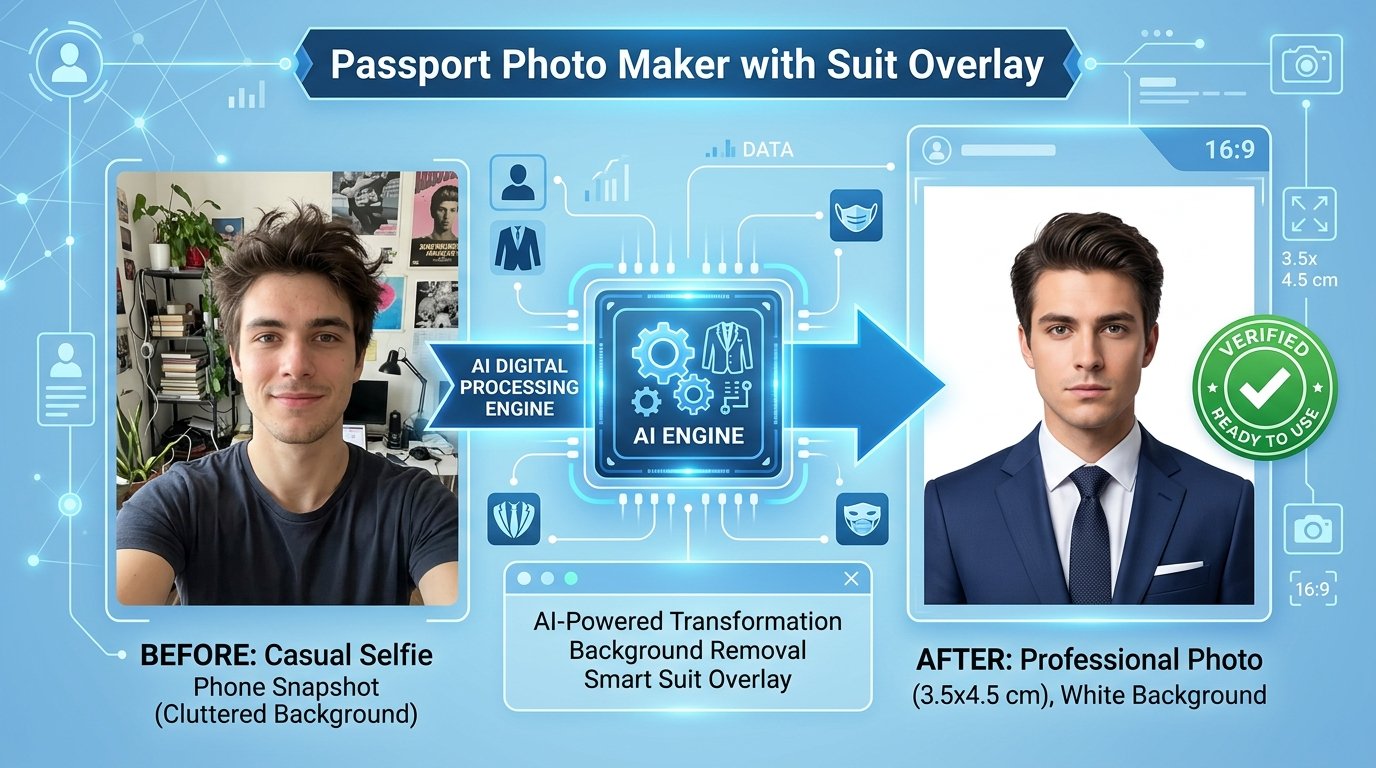
Key Features of ToolMela Passport Photo Maker & Suit Overlay
Pre-configured templates for Indian Passport (3.5x4.5cm), US Visa (2x2 inch / 600x600px), Schengen (35x45mm), and PAN Card (213x213px at 300 DPI).
Choose from formal tailored suits and blazers with interactive position, scale, and rotation sliders to align the collar naturally over casual clothing.
Powered by in-browser MediaPipe and RMBG engines to cleanly separate hair strands and replace cluttered rooms with official white or blue studio backdrops.
Automatically tiles multiple copies (6, 8, 12, or 16 photos) onto a single photo sheet with cutting markers ready for home or commercial photo printing.
Step-by-Step Guide: How to Make a Passport Photo with Suit on ToolMela.com
Upload Your Raw Portrait Photo
Click "Upload Photo" or drag a clear front-facing portrait from your phone or camera into the workspace. Ensure both ears and shoulders are visible.
One-Click AI Background Removal
Select the "Background" tab and choose official Plain White, Off-White, or Light Blue. The AI model isolates your head and shoulders in 1 to 2 seconds.
Select and Align Your Formal Suit
Browse the suit catalog to select a formal navy or charcoal suit. Use the Position, Scale, and Rotation sliders to align the collar seamlessly below your chin.
Crop to Biometric Frame & Download
Select your country size preset (e.g. India 35x45mm), verify 70-80% face framing, and click "Download Photo" or "Print A4 Sheet" for instant physical printing.
100% Privacy & Client-Side Biometric Data Security Assurance
Passport and visa photographs contain sensitive facial biometric markers that uniquely identify you across international immigration networks and law enforcement databases. Uploading personal portraits to cloud-based photo editors exposes you to dangerous risks of facial recognition scraping, AI training dataset scraping, and long-term unmonitored server retention.
ToolMela eliminates this exposure entirely through a zero-upload, client-side architecture. Powered by browser-native HTML5 Canvas, WebAssembly, and local MediaPipe machine learning execution, all photo decoding, neural background extraction, suit overlay composition, and file compression run strictly within your device's local RAM memory. Zero bytes of your photo data or biometric markers are transmitted to our servers or stored in cloud databases. You can inspect network activity in Developer Tools to verify that not a single byte leaves your computer. The instant you close your browser tab, all temporary memory buffers are completely and permanently wiped.
Frequently Asked Questions (FAQ)
Are digital suit overlays accepted on official passport and visa application forms?
Yes, provided the overall portrait looks natural, well-aligned, and fulfills biometric criteria. Official passport authorities (including Indian Passport Seva and foreign embassies) require candidates to wear neat, professional attire with a collared neckline that contrasts clearly against a plain white background. ToolMela's high-definition suit overlays blend seamlessly along the neck and collar line, producing an authentic studio-quality presentation.
What is the standard passport photo dimension in India and internationally?
In India, standard passport photographs measure exactly 3.5 cm x 4.5 cm (35 mm x 45 mm / 413 x 531 pixels at 300 DPI) with 70% to 80% face coverage. For United States Visas and OCI applications, the required dimension is square 2 x 2 inches (51 mm x 51 mm / 600 x 600 pixels). Schengen visas require 35 mm x 45 mm. ToolMela includes one-click presets for all these global standards.
How do I ensure the suit overlay fits naturally around my neck and collar?
ToolMela provides interactive adjustment controls directly below the preview workspace. You can use the Scale slider to match your shoulder width, the Horizontal and Vertical Position sliders to snap the collar precisely beneath your jawline, and the Rotation slider to correct any slight tilt in your pose.
Are my private portrait photographs stored or analyzed on ToolMela servers?
No. All AI segmentation, background replacement, suit rendering, and photo grid assembly run 100% client-side inside your web browser using MediaPipe and WebAssembly. Your personal selfies and identity portraits never leave your computer or smartphone, and zero bytes are transmitted to external servers.
