Master Exam Photo Resizer: Format Photos & Signatures for SSC, UPSC & PAN Portals
Eliminate upload rejections across government job forms and identity applications. Crop, align, and compress candidate passport photographs and signatures to exact pixel dimensions, DPI standards, and KB ceilings in seconds.
The Frustration of Contradictory Photo and Signature Guidelines on Official Portals
Navigating the digital application procedure for major competitive recruitment examinations and official identity cards in India—including SSC (CGL, CHSL, MTS, GD), UPSC (CSE, NDA, CDS), Railway RRB, IBPS banking, and NSDL/UTIITSL PAN Cards—is notoriously stressful. Each recruitment commission enforces its own distinct, rigid set of biometric specifications: the Staff Selection Commission requires photos sized strictly between 20KB and 50KB at 3.5cm x 4.5cm dimensions with 80% face coverage; UPSC requires square framing between 20KB and 300KB with applicant name and date stamps; while NSDL PAN card systems strictly reject any photo that is not exactly 213x213 pixels at 300 DPI under 30KB. Candidates attempting to meet these specifications using smartphone gallery editors or generic image croppers regularly encounter distorted aspect ratios, pixelated text, and immediate portal upload errors that risk missing critical application deadlines.
ToolMela’s Master Exam Photo Resizer provides a comprehensive, centralized solution tailored specifically for competitive applicants. Rather than requiring you to memorize complex pixel calculations, DPI formulas, or file compression trade-offs, our tool integrates verified official presets for every major recruitment commission. With a single click, it automatically applies precise millimeter-to-pixel scaling, centers the biometric framing zone, embeds required 300 DPI or 600 DPI metadata headers, and compresses the JPEG stream to land safely within the mandated KB range. Whether you are formatting an official candidate portrait or enhancing a handwritten signature scan, ToolMela ensures 100% compliance with zero guesswork and zero cyber cafe fees.
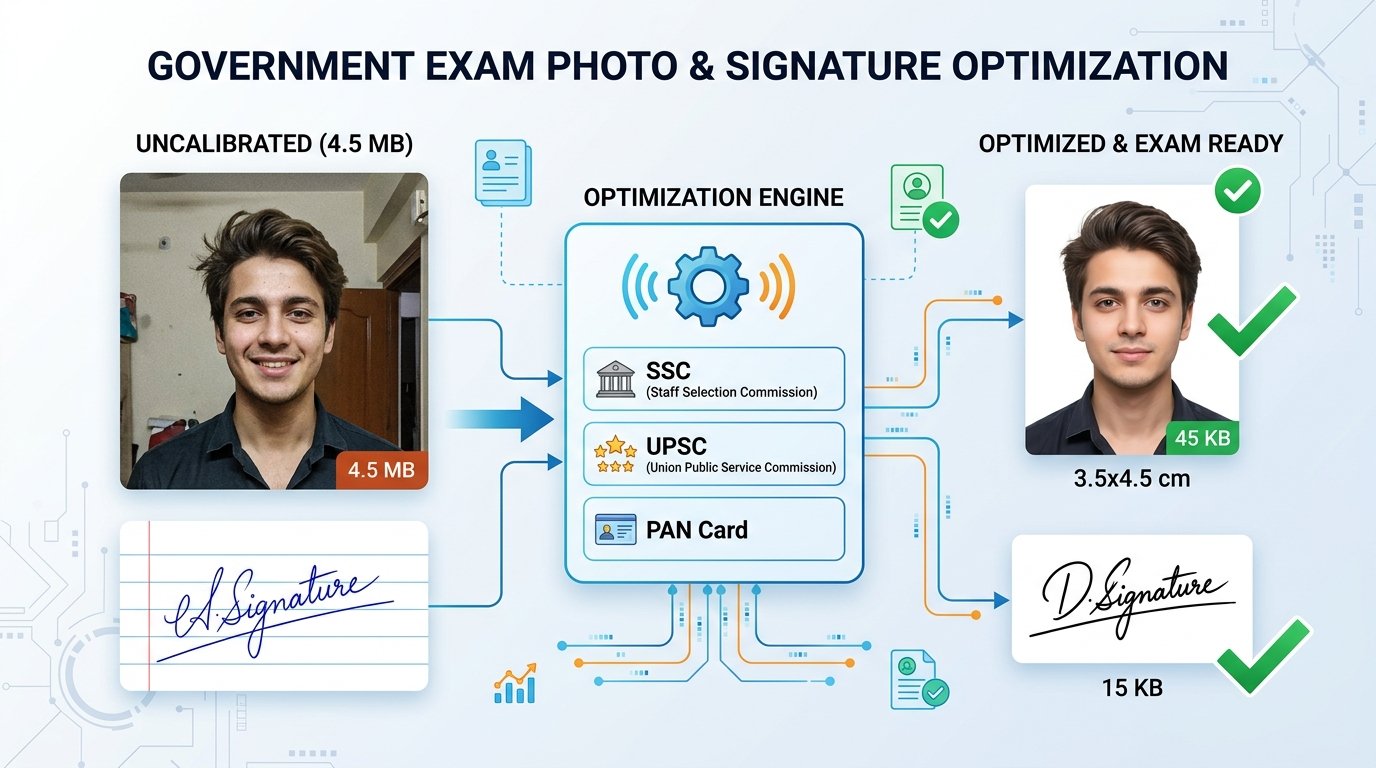
Key Features of ToolMela Master Exam Photo Resizer
Pre-configured with official guidelines for SSC (3.5x4.5cm, <50KB), UPSC (350x350px, <300KB), PAN Card (213x213px at 300 DPI, <30KB), and Railway RRB (<40KB).
Computes pixel coordinates using official 300 DPI print standards, eliminating aspect ratio stretching and pixelation errors on portal validation scripts.
Interactive zoom, pan, and rotation sliders enable you to center facial features and align eye level to fulfill strict 70% to 80% face coverage rules.
Sharpens handwritten signatures, heightens black-and-white ink contrast, and suppresses background paper noise to fit tight 10KB to 20KB upload limits.
Step-by-Step Guide: How to Format Photos and Signatures on ToolMela.com
Select Your Target Exam or Portal Preset
Choose from the preset menu—such as PAN Card Photo, PAN Card Signature, SSC Exam Photo, UPSC Photo, or Railway RRB Photo—to load official dimensions and size targets automatically.
Upload Your Raw Photo or Scanned Signature
Click "Upload Photo / Signature" or drag your smartphone portrait or crop scan directly into the workspace. The tool accepts JPG, PNG, and WebP formats.
Frame, Align, and Center within Guidelines
Use the interactive Zoom, Horizontal, and Vertical position sliders to align the candidate's face and eye-level within the official 70-80% biometric box.
Download Verified, Compliant File
Review the live size readout (e.g. 42.5KB) and pixel dimensions. Click "Download Photo" to save the compliant file directly to your phone or computer.
100% Privacy & Client-Side Biometric Data Security Assurance
Passport photographs, government identity card portraits, and handwritten signatures represent your most critical biometric credentials. Uploading these sensitive personal assets to public cloud image conversion websites exposes you to severe risks of biometric identity theft, unauthorized facial recognition indexing, and long-term server archiving.
ToolMela eliminates this risk completely through a zero-upload, client-side architecture. Powered by browser-native HTML5 Canvas and WebAssembly execution, all cropping, pixel rescaling, DPI metadata injection, and JPEG compression occur strictly within your local computer or phone's RAM. Zero bytes of image data or signatures are ever transmitted to our servers or stored on external cloud infrastructure. You can inspect network traffic in Developer Tools to verify that not a single byte leaves your device. Once you close your browser tab, all temporary memory buffers are completely and permanently wiped.
Frequently Asked Questions (FAQ)
Why do different government portals have completely different photo and signature size rules?
Each examination authority runs independent legacy database architectures. For example, NSDL and UTIITSL PAN software requires rigid 213x213 pixel dimensions at 300 DPI for physical PVC card laser printing; SSC enforces 3.5x4.5 cm aspect ratio with 20KB to 50KB limits to ensure face recognition accuracy; and UPSC mandates square framing between 20KB and 300KB with candidate name and date stamps. ToolMela eliminates this complexity by providing pre-programmed, one-click official presets.
How do I ensure my photo is not rejected for improper face coverage?
Official recruitment guidelines (including SSC and UPSC) require 70% to 80% of the image frame to be covered by the applicant's face from the top of the forehead to the chin. Use ToolMela's interactive zoom and position sliders to center your head and align your eye-level directly inside the biometric framing guide before downloading.
Can I use this tool to resize both my photograph and my signature?
Yes. ToolMela provides dedicated presets for photographs (such as SSC Photo, UPSC Photo, PAN Photo) as well as signatures (such as PAN Signature 400x200 px at 600 DPI and SSC Signature under 20KB). The tool optimizes signature contrast by enhancing black ink strokes while suppressing white paper shadow grains.
Are my biometric photos and signatures uploaded or stored on ToolMela servers?
No. All cropping, aspect-ratio scaling, DPI header embedding, and JPEG compression algorithms run 100% client-side inside your browser using WebAssembly. Your biometric photos and signature scans are never uploaded to remote servers or cloud storage, ensuring absolute privacy.
