UPSC Photo Resizer: Format Photo and Signature for Online Applications
The Union Public Service Commission (UPSC) application portal enforces strict technical standards for uploaded identity files. When completing One Time Registration, completing your upsc otr photo signature resize correctly is essential: every submitted photograph must conform to the official upsc photo size 350×350 pixel square format (up to 1000×1000 pixels), use the JPG format, and maintain a file size strictly between 20 KB and 300 KB. Furthermore, official instructions specify that candidate photographs must feature a clear background along with the applicant's name and the date of the photograph printed across the lower margin.
Meeting these parameters with standard mobile editors can be difficult. Cropping often skews proportions, compression tools can blur facial features, and signatures often fall below the 20 KB minimum threshold. Whether you need a dependable upsc cse photo resizer for Civil Services or are applying for NDA, CDS, or CAPF, ToolMela's free upsc photo resizer solves these upload issues instantly.
In addition to automatic dimension locking and adaptive compression, the tool functions as an all-in-one upsc name and date on photo maker. The built-in upsc photo date stamp feature automatically formats candidate details along the bottom border, producing fully compliant files ready for the commission recruitment portal without graphic design software.
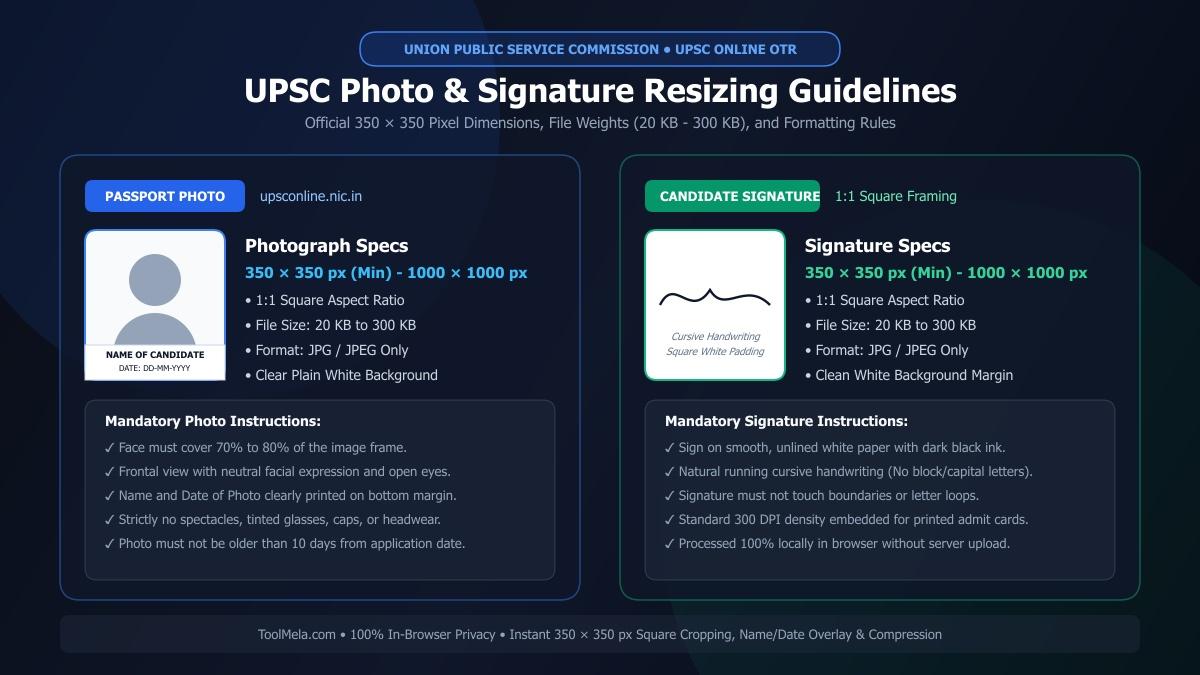
Visual Guide: Formatting passport photographs and signatures to official UPSC 350x350 square specifications on ToolMela.
Why People Use This Tool
- Pre-configured dimensions: Standardizes photos and signatures to the required 350x350 pixel square format to prevent stretching.
- Targeted file size control: Adjusts compression so the exported file stays within the mandatory 20 KB to 300 KB limit.
- Integrated name and date banner: Adds your full name and photo capture date across the lower edge of the photograph.
- Dual processing modes: Offers dedicated settings tailored for portrait photos and handwritten signatures.
- Built-in cropping and rotation: Lets you frame, center, and rotate mobile camera captures before export.
- On-device processing: Adjusts files directly within your browser, keeping your personal documents on your device.
How to Use the Tool
- Choose your document type: Click Photo or Sign at the top of the tool depending on what you need to prepare.
- Select your file: Click Select Image or drop a JPG, JPEG, or PNG file into the upload area.
- Crop and orient: Adjust the square cropping boundary over your subject. Use the rotation buttons if the picture is sideways, then click Next Step.
- Set background if needed: If your photo background is uneven, use the automated background tool to apply a clean white backdrop, then proceed.
- Add details and set target weight: For photos, turn on Print Details on Photo to enter your name and capture date. Choose your target file size within the 20 KB to 300 KB range.
- Confirm rules and process: Check the rule acknowledgment box and click Generate Image.
- Download the result: Review the generated preview, file weight, and dimensions, then click Download Image to save your JPG.
Understanding the Output
Before uploading your downloaded file to the commission portal, check these key attributes:
- File size: Ensure the final file weight sits between 20 KB and 300 KB. Setting a target between 60 KB and 120 KB provides a practical balance of visual detail and quick upload.
- Pixel dimensions: Verify that the image measures 350x350 pixels. Make sure the aspect ratio is square and that facial features or signature lines remain undistorted.
- Readability: Inspect the text strip to confirm that your name and date are legible. For signatures, verify that ink lines appear sharp against the white background.
Privacy & File Handling
ToolMela processes photographs and signatures entirely inside your web browser using client-side scripts and canvas rendering. When you select an image, the file is read and modified directly within your local device memory.
Because all cropping, compression, and text additions execute locally, your files are never transmitted to or stored on ToolMela servers. Your personal identity documents remain confidential and under your direct control throughout the process.
Useful Tips
- Use good lighting for signatures: Sign on clean, unlined white paper using black ink, and photograph it directly overhead to avoid shadows.
- Start with a clear original: Cropping a low-resolution thumbnail produces pixelated results. Always use a sharp original capture.
- Format dates cleanly: Write the photo capture date in a standard format (such as DD-MM-YYYY) as requested by official guidelines.
- Leave room for the text strip: When cropping a portrait, position your face slightly higher so the bottom banner does not cover your chin.
- Avoid messaging apps: Do not transfer your final image through chat apps, which often recompress files and alter dimensions.
Common Problems and Solutions
- File size outside permitted range: If your output falls outside the 20 KB to 300 KB limit, return to the settings step, adjust the target KB value, and generate the image again.
- Signature looks faint: Retake the signature photo in brighter lighting with a dark pen, ensuring the background is pure white without notebook lines.
- File fails to load: The tool supports standard JPG, JPEG, and PNG formats. If your phone saved the photo as HEIC, convert it to JPG before selecting it.
Frequently Asked Questions
What are the official dimensions and file size limits for UPSC photos and signatures?
Both photographs and signatures must be in JPG format with dimensions between 350x350 and 1000x1000 pixels. The file size must remain strictly between 20 KB and 300 KB.
Can I add my name and date of photo to the image?
Yes. Enabling the 'Print Details on Photo' option lets you enter your name and the date of the photograph, which the tool prints along the lower border.
Does ToolMela upload my documents to a server?
No. All cropping, resizing, and compression happen locally inside your web browser. Your images remain on your device and are never sent to external servers.
Why did my resized signature turn out blurry?
Blurriness usually happens when the original image was taken in dim lighting or cropped from a low-resolution file. Sign on plain white paper with dark ink and take a well-lit photo before resizing.
