Bijoy to Unicode Converter: Convert Legacy SutonnyMJ Text to Web-Ready Bengali Online
Converting legacy Bijoy or SutonnyMJ text into modern Unicode Bengali is one of the most frequent challenges for writers, journalists, administrative staff, and web editors. For decades, Bengali desktop publishing in Bangladesh and West Bengal relied heavily on ANSI-based fonts like SutonnyMJ. While these fonts powered newspapers, books, and official forms for generations, copying that text into modern websites, content management systems, or messaging apps leaves behind unreadable English-looking gibberish.
The ToolMela Bijoy to Unicode Converter provides an effortless, real-time solution to this problem. By pasting your legacy text into the converter, you immediately transform font-dependent glyphs into universally recognized UTF-8 Unicode characters. The resulting Bengali text displays crisply and accurately across every modern web browser, mobile operating system, and digital platform without requiring specialized fonts.
Whether you are digitizing archived government records, migrating print news stories to an online portal, or updating legacy Word documents for social media sharing, this online converter delivers instant, reliable results directly in your browser.
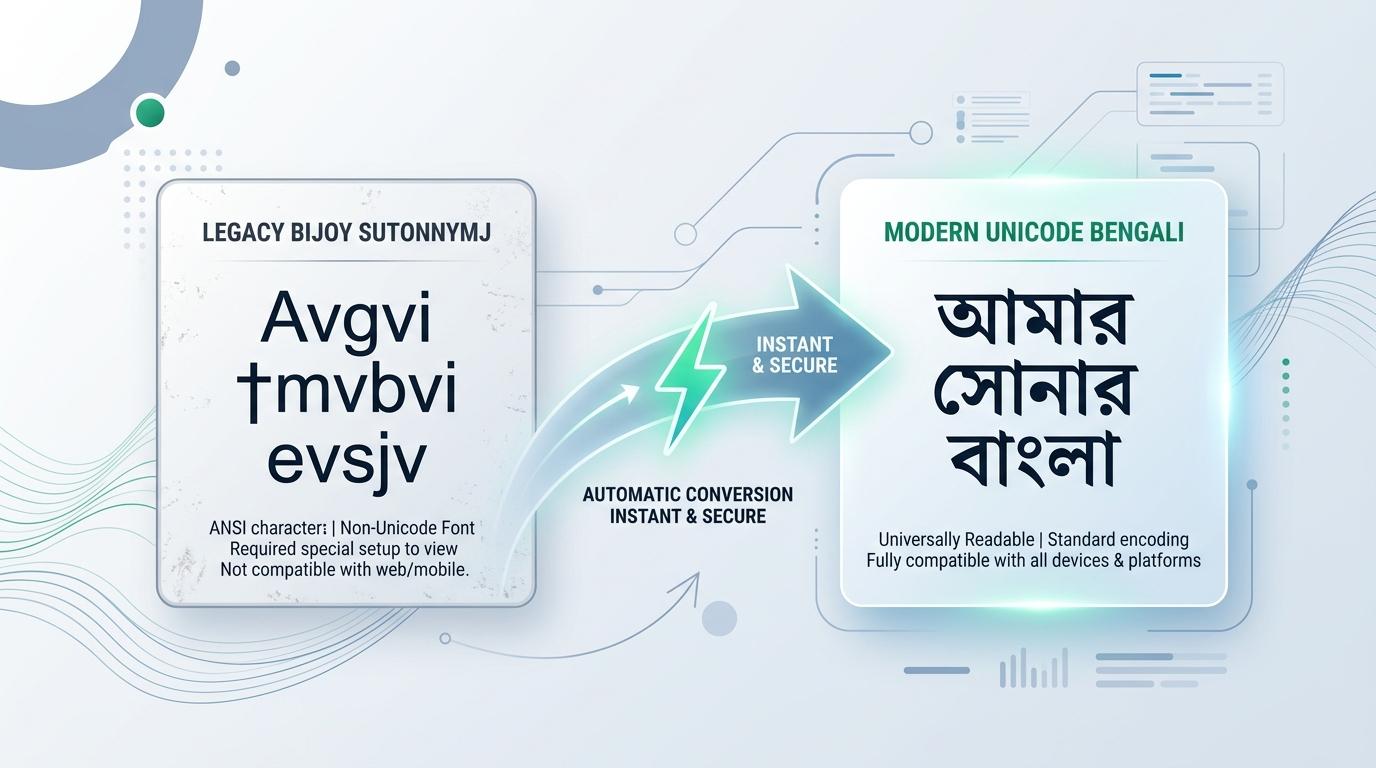
Visual Guide: Converting legacy Bijoy (SutonnyMJ) characters to universal Unicode Bengali on ToolMela.
Why People Use This Tool
- Publishing Legacy Archives Online: Modern websites, WordPress blogs, and news CMS systems cannot render ANSI fonts. Converting your legacy SutonnyMJ archives into Unicode ensures that articles, historical documents, and literature display properly for every online visitor.
- Fixing Garbled English-Looking Gibberish: When someone emails you a document that looks like
Avgvi †mvbvi evsjv, pasting it here immediately decodes those Latin characters into beautiful, readable Bengali script (আমার সোনার বাংলা). - Cross-Platform Social Media Sharing: Share legacy text effortlessly on Facebook, WhatsApp, Telegram, Instagram, and LinkedIn where non-Unicode fonts simply fail to display.
- Search Engine and Database Indexing: Search engines like Google and internal database queries cannot index legacy ANSI characters. Unicode conversion enables full-text search, SEO indexing, and database archiving of your Bengali content.
- Mobile and Cross-Device Accessibility: Smartphones and tablets do not come with SutonnyMJ installed by default. Converting to Unicode guarantees that iPhone, iPad, and Android users can read your text without missing letters or broken layouts.
- Seamless Avro and Modern Keyboard Compatibility: Once your text is converted to Unicode, you can easily edit, search, and expand upon it using modern keyboards like Avro, Gboard, or Ridmik Keyboard without switching encoding modes.
How to Use the Tool
- Open your legacy document (such as Microsoft Word
.doc, PageMaker, or an old text file) and highlight the Bijoy or SutonnyMJ text you want to convert. - Copy the selected text using
Ctrl + Con Windows orCmd + Con Mac. - Open the Bijoy to Unicode Converter on ToolMela and paste your copied text into the left-hand Bijoy / ANSI input box.
- The conversion engine runs automatically in real time as you paste or type—there is no need to press any manual conversion buttons or wait for page reloads.
- Review the converted text in the right-hand Unicode Bengali box to verify that sentences, complex conjuncts, and punctuation marks look natural and complete.
- Click the Copy Unicode button to place the clean Bengali text onto your clipboard for immediate use in your website, email, or social media post.
- If you want to keep an offline backup of the converted text, click Save TXT to download a standard UTF-8 text file directly to your device.
Understanding the Output
To appreciate why this conversion is necessary, it helps to understand how legacy Bijoy and modern Unicode handle Bengali characters differently under the hood.
Legacy Bijoy—most commonly associated with the SutonnyMJ font—was engineered during an era when personal computers only supported standard Latin ASCII characters (values 0 to 255). To produce Bengali on screen, font designers replaced standard English letter shapes with Bengali glyphs. Underneath the surface, the word Avwg was saved as capital A, small v, small w, and small g. Because English keyboards place characters left-to-right, Bijoy also stored text in visual order rather than phonetic order. Diacritical vowel markers that appear to the left of a consonant (such as হ্রস্ব ই-কার or একার) had to be typed and stored before the consonant, and the reph symbol was placed after the character it sits atop.
Modern Unicode, on the other hand, treats Bengali as an independent, first-class linguistic script. Every Bengali vowel, consonant, vowel sign (কার), and diacritic possesses a permanent, internationally standardized code point in the Unicode Standard (U+0980 through U+09FF). Furthermore, Unicode stores text in phonetic, logical order (consonant followed by vowel mark, or consonant followed by a virama/hasant and a second consonant to form a conjunct). The operating system's rendering engine (such as HarfBuzz or DirectWrite) then handles the visual positioning automatically.
When you use ToolMela's Bijoy to Unicode Converter, the conversion algorithm performs multi-step linguistic parsing:
- It scans character clusters to detect visual pre-kars (হ্রস্ব ই-কার, একার, ঐ-কার) and shifts them to their proper phonetic positions after the consonant.
- It merges split vowel combinations, such as transforming separate একার (
†) and আকার (v) sequences into a single Unicode ও-কার (ো), and একার plus ঔ-কার চিহ্ন into ঔ-কার (ৌ). - It maps legacy conjunct glyphs (যুক্তবর্ণ like ক্ষ, জ্ঞ, ষ্ণ, ঙ্ক, ত্র, ব্ধ) into standardized Unicode sequences containing the proper consonants joined by virama characters (হসন্ত).
- It correctly places reph (রেফ) at the beginning of consonant clusters according to Unicode phonetic rules.
The resulting output is genuine UTF-8 Bengali text that needs no specific font to display correctly.
Privacy & File Handling
ToolMela is engineered with a strict privacy-first architecture. All text conversions performed by this Bijoy to Unicode tool happen 100% locally inside your web browser using client-side JavaScript.
- Zero Server Uploads: Your text is never transmitted across the internet to ToolMela servers, cloud databases, or third-party processing APIs.
- Complete Confidentiality: Because processing occurs entirely within your browser's memory, sensitive materials—such as legal contracts, court affidavits, personal letters, financial records, and unpublished manuscripts—remain completely private on your local machine.
- No Data Retention: ToolMela does not store, log, track, or inspect any words, paragraphs, or documents you paste into this tool.
- Instant Offline Execution: Because no network roundtrips are required, conversion happens instantly, even on slower or unstable internet connections.
Useful Tips
- Confirm the Source Encoding: Verify that your original text was indeed typed using Bijoy or SutonnyMJ before converting. Pasting already-Unicode text into the Bijoy input box will corrupt your words.
- Proofread Intricate Conjuncts in Historical Texts: Our conversion table comprehensively covers standard Bengali conjuncts. However, if you are converting decades-old PageMaker files with rare archaic ligatures or Sanskrit loanwords, take a moment to scan the output for any unusual symbol placements.
- Watch for Split Vowels in Older Word Processors: In very old versions of Word, writers sometimes typed an একার (
†) and an আকার (v) with a space in between to represent ও-কার. Removing accidental spaces in the source text ensures seamless conversion to Unicode ও-কার (ো). - Keep an Untouched Original Copy: Always maintain an archival copy of your original
.docor.pmdsource files before replacing them with updated Unicode text, especially during large-scale migration projects. - Use the Companion Tool for Print Design: If you ever need to convert modern Unicode Bengali back into SutonnyMJ ANSI for legacy versions of Adobe Photoshop or Illustrator, use ToolMela's Unicode to Bijoy Converter.
Common Problems and Solutions
Problem: The pasted text looks like random English characters in the input box.
Solution: This is completely normal. In modern web browsers that do not use SutonnyMJ, Bijoy text naturally appears as Latin letters (such as Avgvi †mvbvi evsjv). As soon as you paste it, the right-hand box will display the correct Bengali script.
Problem: A vowel mark or reph appears displaced in the converted text.
Solution: This usually happens when the original document contains hidden spaces, non-breaking spaces, or manual hyphenation between the consonant and the vowel sign. Delete the extra space in the input box, and the vowel will snap into its correct position immediately.
Problem: The converted text shows overlapping or broken characters on older software.
Solution: The converted text is standard Unicode. If an older desktop application struggles to display it, ensure the software supports complex script rendering (OpenType layout features) and select a modern Bengali font such as SolaimanLipi, Kalpurush, or Vrinda.
Problem: Numbers remain in English instead of Bengali numerals.
Solution: Some Bijoy typists used standard English numerals (1, 2, 3) rather than Bengali digits (১, ২, ৩). If your source file contains English numbers, they will remain as English numbers in the output. You can quickly adjust them using ToolMela's text writing tools or find-and-replace.
Frequently Asked Questions
Why does Bijoy text look like English gibberish when pasted online?
Bijoy was created using ANSI fonts like SutonnyMJ, which substituted Bengali character shapes onto standard English ASCII keyboard positions. On computers or websites where the SutonnyMJ font is not installed, the system displays the underlying English letters. Converting your text to Unicode gives every Bengali letter a universal international identity that displays properly on every modern phone, tablet, and computer.
Can I use this converted Unicode text in mobile apps and social media?
Yes. Converted Unicode Bengali is 100% compatible with WhatsApp, Facebook, Instagram, Twitter/X, LinkedIn, email platforms, WordPress blogs, and mobile operating systems like Android and iOS. You can paste and share it anywhere without fear of broken text.
What is the difference between Bijoy (ANSI) and Unicode (Avro)?
Bijoy ANSI relies on a visual font substitution trick tied to a specific font file (SutonnyMJ) and stores letters in the order they appear visually. Unicode (utilized by Avro Keyboard, Google Input Tools, and all modern operating systems) assigns unique, standardized code points to every letter in phonetic order, making the text independent of any single font or device.
Do I need to install SutonnyMJ font to read or edit the converted Unicode Bengali?
No. Once your text is converted to Unicode, you never need SutonnyMJ installed again. Modern operating systems include high-quality built-in Bengali fonts like Nirmala UI, Vrinda, or Noto Sans Bengali that render Unicode text clearly and beautifully.
