Resize PDF Online Free: Compress and Optimize Documents Instantly
Downsize bulky PDF files for email attachments, employment portals, university admissions, and government forms without sacrificing readable text or visual clarity.
Solving File Size Limits for Digital Document Sharing
Handling oversized PDF files is a frequent frustration for anyone submitting applications online. Whether sending job resumes to recruitment systems, transmitting tax records to financial platforms, submitting student assignments to educational portals, or attaching legal contracts to an email, users routinely encounter strict file-size caps. Modern smartphone cameras and high-dpi desktop scanners produce PDF files that often range from 15MB to 40MB. When an online portal refuses files larger than a few megabytes or hundreds of kilobytes, you need a dependable way to resize PDF file size quickly without ruining the document.
Most PDF documents become bloated because scanner software embeds uncompressed raster graphics, redundant font definitions, and hidden technical metadata. Traditional desktop editing suites can reduce file sizes, but they often require costly recurring subscriptions, complicated menus, and heavy software installations. Furthermore, many online tools force users to upload sensitive contracts and identity records to unverified remote servers, raising understandable privacy concerns.
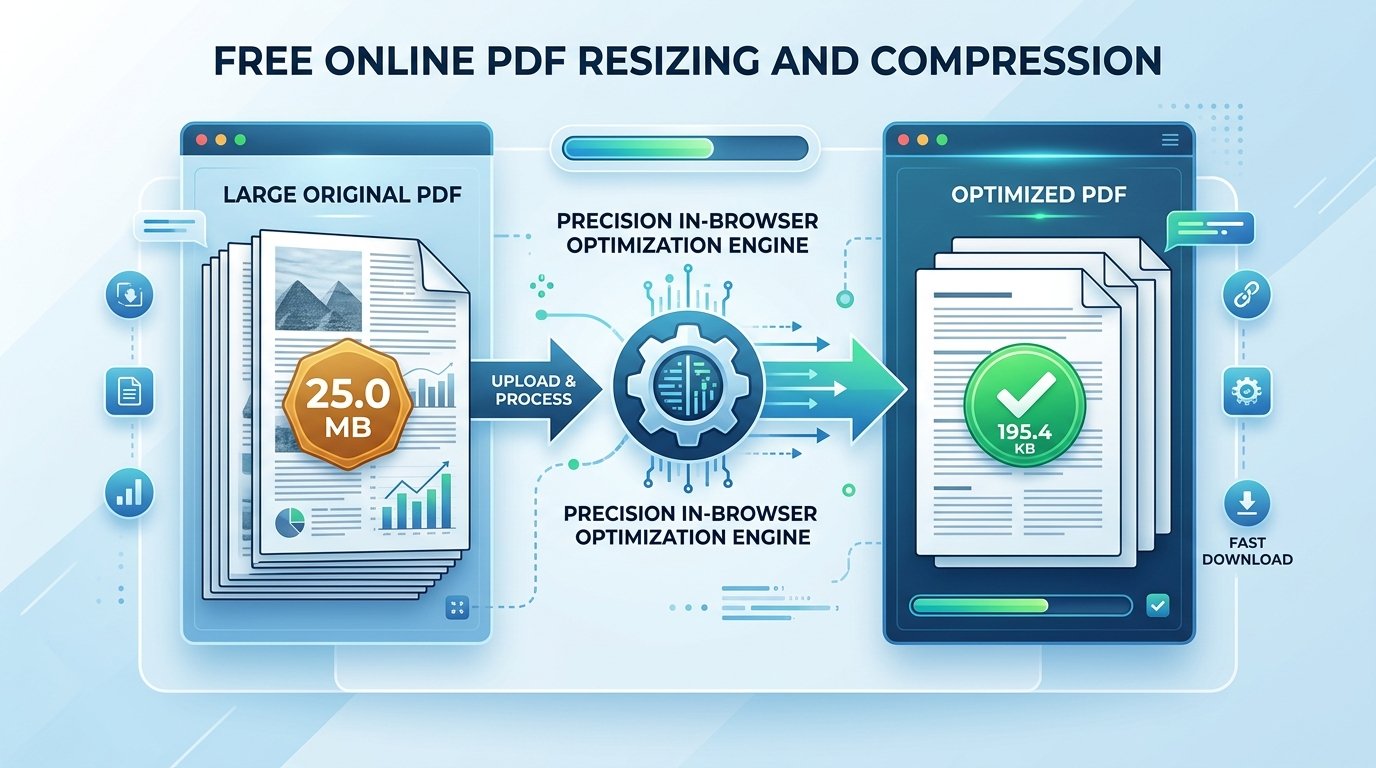
ToolMela provides an accessible solution with this dedicated browser-based utility that lets anyone resize PDF online free. As a versatile pdf resizer online, the tool processes documents directly within your browser memory. You can compress PDF online free, reduce PDF size free, and shrink PDF online while keeping text crisp, signatures distinct, and tables readable.
Why People Use This Tool
Processing runs inside your web browser memory, eliminating the need to transmit personal paperwork to remote servers.
Calculations take place locally on your device hardware, returning an optimized document in just a few seconds.
Compatible with modern browsers on Android, iPhone, iPad, Windows, and Mac without installing external software.
Rebalances compression curves so that headings, financial tables, signatures, and stamps remain clear and legible.
Outputs clean PDF documents with no promotional watermarks, stamps, or altered headers.
Requires no registration, account login, or subscription to process and download your document.
How to Use the Tool
Open the Resize PDF Tool
Access the tool page on ToolMela.com using your preferred browser on any mobile device, laptop, or desktop computer.
Select Your PDF Document
Click the "Choose File" button to select your PDF, or drag and drop your document into the designated upload area.
Automatic In-Browser Optimization
The engine scans embedded images and font subsets, calibrating page data to achieve effective compression.
Review the Processed Size
Check the confirmed file size displayed on screen to make sure it satisfies your destination portal's upload threshold.
Download Your Finished File
Click the "Download PDF" button to save the newly optimized file onto your device storage.
Understanding the Output
Before submitting your processed document to an online portal, verify key document attributes to avoid unexpected delays:
- Final File Size: Confirm that the saved file satisfies your destination portal's upload limit in your operating system's file inspector.
- Text Legibility: Zoom in on multi-column tables, fine print disclaimers, marks totals, and dates to verify that characters remain crisp and legible.
- Official Signatures and Stamps: Confirm that administrative signatures, watermarks, and circular departmental ink stamps are clearly visible and uncorrupted.
- Page Completeness: For multi-page packets, verify that all pages remain in proper numerical sequence from first to last.
Privacy & File Handling
Legal agreements, financial reports, academic credentials, and identity dossiers contain sensitive personal data. Uploading these documents to remote cloud conversion services introduces significant confidentiality risks.
ToolMela’s Resize PDF Online Free operates entirely inside your web browser. When you select a document, it is read and compressed locally using client-side WebAssembly scripts. The selected file does not need to be uploaded to ToolMela's servers for processing. This local execution architecture keeps your private records on your personal hardware, and once you refresh or close your browser tab, all temporary memory allocations are erased.
Useful Tips for Better Results
Ensure the source document is evenly lit, flat, and free of unnecessary background shadow before generating the initial PDF.
Trimming black borders or desktop scanner edges reduces useless data, giving the compression algorithm more byte headroom for actual text.
Always keep your original high-resolution PDF scan stored safely in case a future institution requests uncompressed files.
Double-check if the destination form also specifies a minimum DPI or maximum page count in addition to the file size limit.
Common Problems and Solutions
If your document contains dozens of photographic pages or full-color high-resolution scans, fitting into a very small file size may require splitting the packet into smaller parts or converting color scans to grayscale.
Encrypted PDFs cannot be modified by the compression engine. Remove password restrictions before uploading the file to the tool.
When source scans are captured at low contrast, compression can soften thin text. If possible, rescan the document with higher contrast or adjust lighting before processing.
Frequently Asked Questions
How does resizing a PDF online for free work without uploading files?
ToolMela uses client-side WebAssembly scripts executed directly inside your web browser. When you select a document, your device's local processor reads the file, optimizes embedded graphics, strips redundant metadata, and reconstructs a compact PDF file without transmitting any data to remote servers.
Will resizing my PDF remove bookmarks, fillable form fields, or clickable links?
To achieve significant file size reduction, the engine flattens complex visual layers into optimized, high-clarity pages. While page order, typography, and visual layout remain intact, interactive form fields, clickable hyperlinks, and embedded bookmark trees are flattened. Always keep your original PDF if you need editable form elements.
Will resizing my PDF online free overwrite my original document?
No. The tool processes a temporary working copy in your browser and outputs a newly compressed file. Your original PDF document on your phone or computer remains completely untouched and unmodified.
Can I resize multi-page PDF documents on a mobile phone?
Yes. ToolMela's PDF resizer operates directly within mobile browsers on Android and iPhone devices. You can select PDF files from your device storage, cloud drives, or scanner apps and download the finished file without installing standalone applications.
