Resize PDF to 30KB: Compress Documents for Strict Recruitment & Admission Portals
Meet rigid 30KB upload limits for state public service commissions, university admissions, and teacher recruitment forms. Compress marksheets and certificates while preserving legible roll numbers, grades, and official stamps.
The Challenge of Squeezing Academic Documents Beneath 30,720 Bytes
When submitting applications on state educational boards, university entrance portals, public service commission recruitment systems (such as BPSC, WBPSC, or OPSC), and teacher eligibility platforms (TET/CTET), candidates regularly face an unyielding 30KB PDF upload restriction. This strict byte threshold is typically assigned to single-page supporting credentials—including high school marksheets, intermediate pass certificates, caste category affidavits, and disability verification slips. While modern smartphones and scanner apps capture documents between 2.5MB and 5MB, forcing an academic record beneath 30,720 bytes using standard conversion software often leads to severe degradation: small 8pt to 10pt tabular grades turn illegible, roll numbers smudge into solid dark lines, and controller of examination signatures dissolve into pixelated blur, prompting immediate portal upload errors.
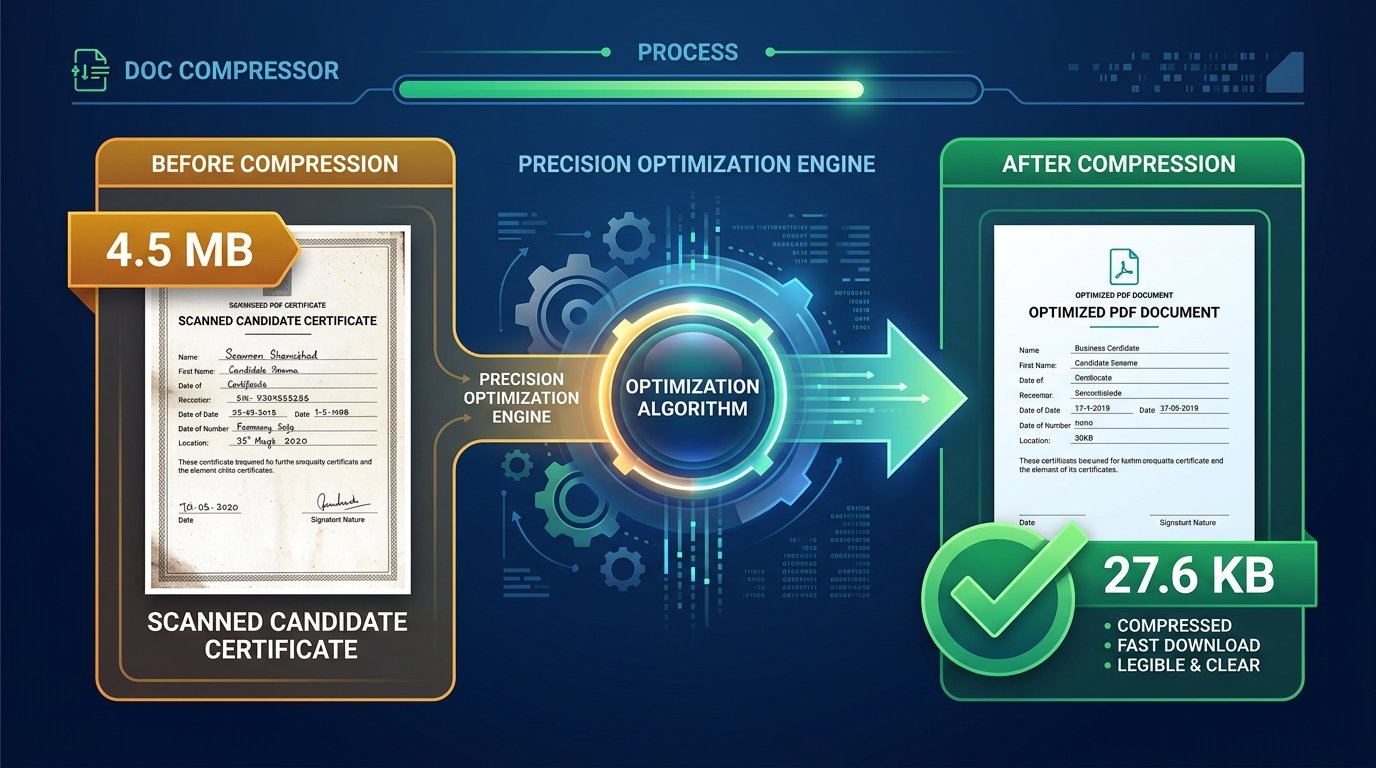
ToolMela’s Resize PDF to 30KB provides an engineered, multi-pass compression pipeline calibrated specifically for this rigid ceiling. Rather than applying uniform downsampling that destroys fine typography, our WebAssembly engine performs an intelligent seven-pass bisection search. It strips unreferenced XML metadata, purges embedded ICC color profiles, and iteratively optimizes stream raster quality. The resulting PDF file lands safely within the 22KB to 29.5KB window—comfortably beneath the 30KB limit while ensuring candidate roll numbers, tabular subject marks, institutional watermarks, and verification stamps remain distinctly legible for scrutinizing officers.
Key Features of ToolMela Resize PDF to 30KB
Engineered to land single-page files reliably within the 22KB to 29.5KB safety zone, guaranteeing immediate acceptance by government portal validators.
Executes up to seven real-time mathematical passes to identify the highest possible image quality that complies with the rigid 30,720-byte ceiling.
Executes the entire compression sequence directly in your browser RAM, delivering complete results in 1 to 2 seconds without network upload delays.
Outputs clean, authentic PDF files with zero third-party branding or forced footers, maintaining pristine credibility for official evaluation.
Step-by-Step Guide: How to Compress a PDF to 30KB on ToolMela.com
Upload Your PDF Certificate or Marksheet
Click "Choose File" or drag your scanned academic certificate, marksheet, declaration, or receipt directly into the upload area.
Automated Stream Re-encoding
ToolMela’s WASM engine analyzes object streams, strips redundant metadata headers, downsamples background texture, and optimizes quality to land under 30KB.
Inspect Readability at 100% Zoom
Check the live file size indicator (e.g. 27.6KB). Zoom in to confirm that marksheet grades, roll numbers, and official signatures remain razor-sharp.
Download and Submit to Portal
Click "Download PDF" to save the compliant file directly to your device. Upload it immediately to your recruitment or admission form.
100% Privacy & Client-Side Data Security Assurance
Educational records, marks sheets, caste certificates, and identity declarations contain sensitive personally identifiable information (PII) including your full name, parentage, roll numbers, and institutional credentials. Uploading these documents to public cloud compressors poses severe risks of data mining, unmonitored server archiving, and unauthorized third-party harvesting.
ToolMela eliminates this exposure completely through our zero-upload, client-side architecture. Powered by WebAssembly and local JavaScript execution, your documents are decoded, resized, and recompiled strictly within your device’s local browser sandbox. Zero document bytes are uploaded to our servers, and no records are ever stored on external cloud infrastructure. You can inspect network traffic in Developer Tools to confirm that not a single byte leaves your computer. The instant you close your browser tab, all temporary memory is immediately and permanently wiped.
Frequently Asked Questions (FAQ)
Why do educational boards and recruitment portals enforce a 30KB PDF limit?
State public service commissions (such as BPSC, WBPSC, OPSC), university admission portals, and teacher recruitment tests (TET/CTET) process millions of applications simultaneously. Mandating a 30KB ceiling on academic certificates and supporting identity documents prevents server timeouts, saves petabytes of cloud storage, and guarantees rapid loading speeds for scrutiny officers during document verification.
Can a multi-page certificate bundle be compressed under 30KB while remaining legible?
A 30KB ceiling corresponds to roughly 30,720 bytes. While a single-page certificate or marksheet easily compresses under 30KB while keeping typography pin-sharp, cramming 3 or more scanned photo pages into 30KB forces extreme downsampling that can blur small tabular grades. For multi-page transcripts, we recommend splitting the PDF to upload only the required semester page or using our 100KB/200KB compression tools if the portal allows.
How do I ensure small marksheet fonts and grades stay readable at 30KB?
Before compressing, ensure the original scan is aligned upright and cropped tightly to remove unnecessary white borders. ToolMela's compressor selectively preserves sharp contrast on dark text strokes while stripping invisible metadata and paper noise, keeping 8pt and 10pt marksheet numbers crisp.
Are my confidential educational certificates or marksheets saved on ToolMela servers?
No. In strict accordance with our zero-knowledge privacy architecture, all PDF decoding, text stream optimization, and image rasterization happen 100% locally inside your device's browser memory via WebAssembly. Zero bytes of your academic transcripts or personal credentials are ever uploaded to remote servers.
