Compress PDF to 100KB Offline: Private In-Browser Document Compression
Downsize sensitive certificates, academic credentials, and official records to meet strict 100KB upload limits without transmitting files across the internet.
Meeting Rigid 100KB Caps Without Compromising Confidential Data
Navigating online document submission gateways often presents a challenging double bind. On one hand, automated application systems for competitive examinations, civil service registrations, bar admissions, and property registrations enforce an uncompromising file ceiling—frequently rejecting any PDF larger than 100KB. On the other hand, the files required are intensely personal: government identity cards, income proofs, tax records, educational transcripts, and handwritten signature sheets.
Most internet users turn to conventional online compression websites, unaware that these services upload full document copies to remote third-party web servers. Transmitting confidential paperwork containing your identification numbers, residential addresses, and banking figures across unknown cloud infrastructure poses significant privacy hazards. When facing a hard upload deadline, you need a dependable way to compress PDF offline. If you need a reliable offline PDF compressor to 100KB that allows you to compress PDF to 100KB without upload and compress PDF to 100KB safe from data harvesting, running local code is the single best approach.
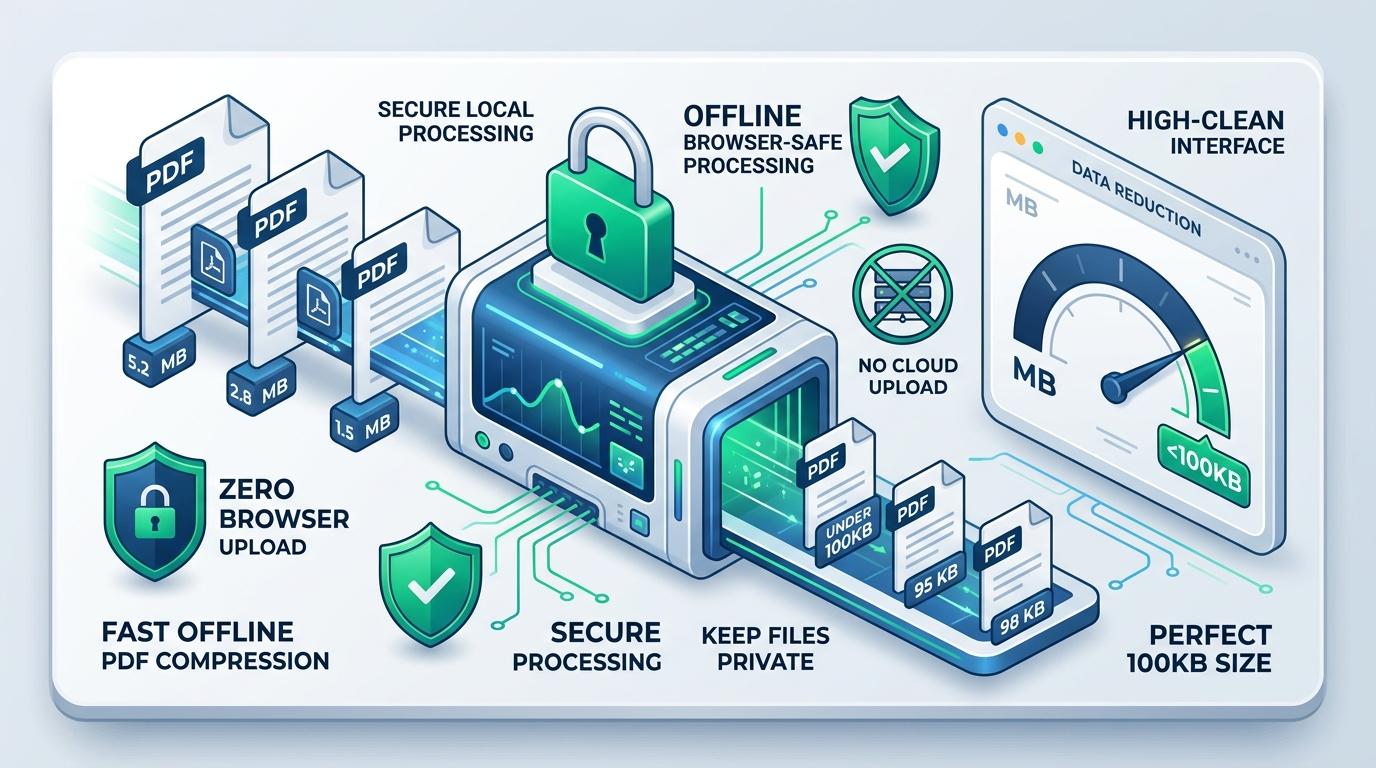
ToolMela solves this dilemma by bringing full compression capabilities directly into your client browser. Using local HTML5 Canvas and WebAssembly engines, this utility lets you shrink PDF to 100KB offline without sending a single byte across the network. Whether you are using a secure office workstation or a personal smartphone, you can compress PDF under 100KB offline with complete peace of mind.
Why People Use This Tool
Institutional registration systems enforce a rigid 100KB cap. Our engine targets this threshold as a hard ceiling, ensuring your files pass automated file filters on the first attempt.
Files containing tax filings, national identity numbers, and bank details never travel across the internet. Everything is calculated in your computer's local volatile memory.
Once this webpage loads, all processing scripts are cached locally. You can turn off Wi-Fi or disconnect mobile data, and the tool will continue to reduce PDF size to 100KB offline smoothly.
Iterative quality testing evaluates page clarity over multiple passes before downscaling, ensuring dates, seal impressions, and signatures remain identifiable.
Use this private PDF compressor 100KB utility instantly without handing over your personal email, creating user passwords, or paying subscription fees.
Cloud converters frequently place free users into delayed processing queues. Running on your device's own CPU ensures immediate, uninterrupted turnaround.
How to Use the Tool
Open the Tool & Verify Offline Status
Open the Compress PDF to 100KB Offline page in your browser. Once loaded, you can safely disconnect your internet connection if you wish to verify its zero-upload operation.
Select or Drop Your PDF File
Drag your document into the upload card, or click to browse files stored on your local hard drive, USB storage, or smartphone folder.
Check Original Document Diagnostics
The tool reads your file locally, displaying the original file weight, total page count, and an instant visual thumbnail preview of the first page.
Confirm the 100KB Target Setting
The target ceiling is pre-calibrated to 100KB. If your specific portal allows a slightly different threshold (such as 120KB or 80KB), you can adjust this value in the target box.
Start the Local Compression Engine
Click the compress button. Your browser renders each page canvas locally and evaluates progressive JPEG quality levels to find the highest fidelity under 100KB.
Review the Results and Download
Inspect the summary card showing the final byte size and total reduction percentage. Click download to store your compliant, private PDF directly on your device.
Understanding the 100KB Output and File Structure
Achieving a file size under 100KB (approximately 102,400 bytes) requires an assertive optimization strategy, particularly for documents originating from smartphone cameras or high-DPI desktop scanners. A single uncompressed color photograph easily consumes 3MB to 8MB. Compressing that document into less than one-tenth of a megabyte necessitates stripping away all non-essential digital overhead.
Our offline engine accomplishes this by converting each page into an optimized canvas, stripping redundant XML metadata dictionaries, and conducting up to seven binary-search quality evaluations. If a multi-page document remains above 100KB, it applies an adaptive downscaling ladder to systematically reduce visual resolution until the document conforms to the ceiling.
Because pages are re-rendered into clean image streams to conquer file bloat, interactive form elements, embedded web links, and invisible OCR text layers are not transferred to the output file. The document is transformed into a clean, flat, image-based PDF. Before submitting your compressed document to an official agency, open the downloaded file in your default viewer and zoom to 100% to confirm that applicant names, registration numbers, and dates remain completely legible.
Privacy & Safe Offline File Handling
When you handle sensitive personal paperwork—such as tax assessments, birth certificates, pay slips, and medical records—data sovereignty is paramount. This safe PDF compressor 100KB tool is engineered from the ground up to operate with zero server-side transmission.
Processing occurs locally inside your web browser using HTML5 Canvas and client-side JavaScript. Your documents are never uploaded to ToolMela's servers, never stored in remote cloud databases, and never inspected by third parties. You can even disconnect your internet access after loading the page to guarantee complete isolation. When you close the browser tab, all temporary memory buffers are permanently erased.
Practical Tips for Better 100KB Compression
Limit to Necessary Pages: Compressing 1 or 2 pages under 100KB yields sharp results. When cramming 5 or more pages into 100KB, the byte budget per page shrinks, leading to softer text.
Crop Dark Scanner Margins: Black borders around scanned certificates consume high-frequency image data. Cropping tight margins saves substantial bytes for actual document text.
Keep Your Original Master File: Never delete your high-resolution original document. Always keep the uncompressed master in a secure local folder for archival purposes.
Use Grayscale When Color Isn't Mandatory: Scanning or saving monochrome documents in grayscale removes color channel data, yielding significantly sharper results under 100KB.
Inspect Fine Print on a Larger Screen: Before uploading your finished 100KB PDF to an official portal, inspect small footnotes and registration stamps on a laptop or desktop monitor to verify clarity.
Common Problems and Troubleshooting
Output Appears Blurry on Multi-Page Documents
Fitting multiple heavy pages into a 100KB budget requires strong image downscaling. If your document has 4 or more pages, consider splitting the file into separate single-page PDFs or compressing to 200KB if allowed by the portal.
File Refuses to Load Due to Password Protection
Client-side JavaScript cannot decrypt password-locked PDF files without authentication. Open the document in your standard PDF reader and remove the password before attempting compression.
Browser Freezes During Processing
Processing high-resolution camera scans on devices with limited RAM can cause temporary browser tab freezing. Close unnecessary background tabs and background applications before restarting.
Text Cannot Be Highlighted or Selected
The offline compressor re-renders pages as flat image layers to drastically lower byte weight. This removes invisible selectable text layers while maintaining visual clarity.
Frequently Asked Questions
Direct answers to common questions about compressing PDF documents to 100KB offline.
Can I really use this tool without an active internet connection?
Why is 100KB such a common file size requirement on official websites?
Will my sensitive personal details or tax documents remain safe?
How many pages can fit into a 100KB PDF without becoming unreadable?
Related Document Compression Utilities
Resize PDF to 100KB
Standard compressor calibrated for job portals and exam forms.
Compress PDF to 200KB
Balanced threshold for multi-page certificates and transcripts.
Compress PDF to 50KB
Strict ultra-lightweight compression for candidate signature slips.
Compress Scanned PDF
Specialized engine for heavy paper scans and photocopier files.
Reduce PDF Size Without Losing Quality
Adaptive compression prioritizing readable typography.
