Reduce PDF File Size Free: Compress Documents in Your Browser Instantly
Shrink heavy PDF documents for email attachments, online registration forms, and job portals without compromising text clarity or document integrity.
Overcoming Large File Size Hurdles in Everyday Document Sharing
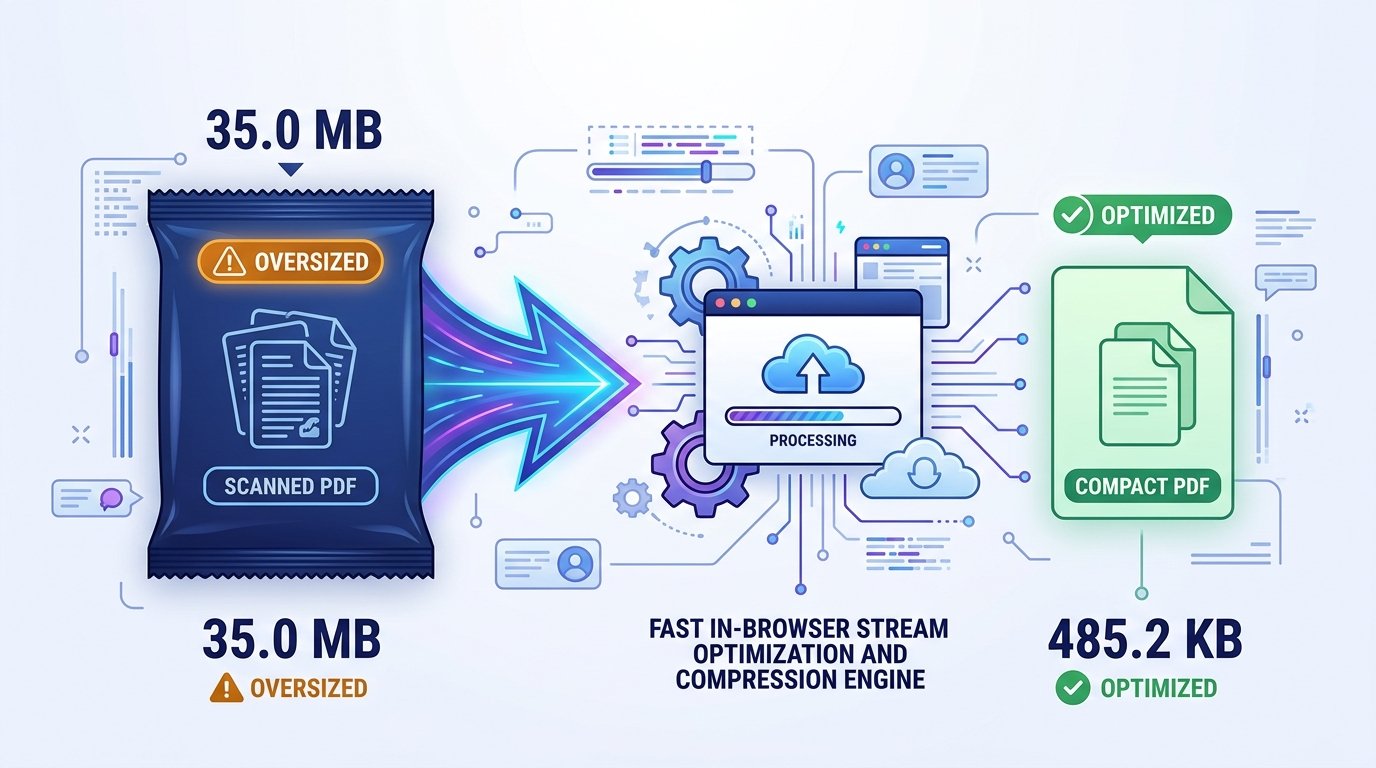
Sending multi-page PDF documents frequently results in delivery failures. Standard email servers reject attachments exceeding 20MB or 25MB, while recruitment gateways, academic application portals, and government administrative websites enforce stringent upload limits measured in kilobytes. Scanned certificates, signed agreements, and financial portfolios created by smartphone cameras or office copiers routinely produce bloated files between 15MB and 50MB. When an automated upload portal rejects your submission, finding a dependable way to reduce PDF file size free becomes an urgent necessity.
Most PDF files become bloated because document scanning software automatically saves pages as uncompressed high-resolution images, retaining unreferenced metadata and redundant font sets. Standard commercial desktop software capable of downsampling these streams usually demands pricey monthly subscriptions and complex manual setup. Conversely, many online converter sites require uploading confidential personal papers to third-party cloud servers, posing understandable privacy concerns for sensitive records.
ToolMela provides a simple and dependable answer with this dedicated browser-based tool. Engineered as an efficient free pdf size reducer, the engine allows you to reduce PDF size online and compress PDF free directly in your web browser. You can shrink PDF file free, compress PDF file free, and reduce PDF size while maintaining readable text, clear signatures, and distinct institutional seals. Whether using a laptop or mobile phone, this pdf file size reducer online lets you compress PDF online free with zero hassle.
Why People Use This Tool
Processing runs inside your web browser memory, eliminating the need to transmit personal paperwork to remote servers.
Calculations take place locally on your device hardware, returning an optimized document in just a few seconds.
Compatible with modern browsers on Android, iPhone, iPad, Windows, and Mac without installing external software.
Rebalances compression curves so that headings, financial tables, signatures, and stamps remain clear and legible.
Outputs clean PDF documents with no promotional watermarks, stamps, or altered headers.
Requires no registration, account login, or subscription to process and download your document.
How to Use the Tool
Open the Reduce PDF Tool
Access the tool page on ToolMela.com using your preferred browser on any mobile device, laptop, or desktop computer.
Select Your PDF Document
Click the "Choose File" button to select your PDF, or drag and drop your document into the designated upload area.
Automatic In-Browser Compression
The engine scans embedded images and font subsets, calibrating page data to achieve effective compression.
Review the Processed Size
Check the confirmed file size displayed on screen to make sure it satisfies your destination portal's upload threshold.
Download Your Finished File
Click the "Download PDF" button to save the newly optimized file onto your device storage.
Understanding the Output
Before submitting your processed document to an online portal, verify key document attributes to avoid unexpected delays:
- Final File Size: Confirm that the saved file satisfies your destination portal's upload limit in your operating system's file inspector.
- Text Legibility: Zoom in on multi-column tables, fine print disclaimers, marks totals, and dates to verify that characters remain crisp and legible.
- Official Signatures and Stamps: Confirm that administrative signatures, watermarks, and circular departmental ink stamps are clearly visible and uncorrupted.
- Page Completeness: For multi-page packets, verify that all pages remain in proper numerical sequence from first to last.
Privacy & File Handling
Legal agreements, financial reports, academic credentials, and identity dossiers contain sensitive personal data. Uploading these documents to remote cloud conversion services introduces significant confidentiality risks.
ToolMela’s Reduce PDF File Size Free operates entirely inside your web browser. When you select a document, it is read and compressed locally using client-side WebAssembly scripts. The selected file does not need to be uploaded to ToolMela's servers for processing. This local execution architecture keeps your private records on your personal hardware, and once you refresh or close your browser tab, all temporary memory allocations are erased.
Useful Tips for Better Results
Ensure the source document is evenly lit, flat, and free of unnecessary background shadow before generating the initial PDF.
Trimming black borders or desktop scanner edges reduces useless data, giving the compression algorithm more byte headroom for actual text.
Always keep your original high-resolution PDF scan stored safely in case a future institution requests uncompressed files.
Double-check if the destination form also specifies a minimum DPI or maximum page count in addition to the file size limit.
Common Problems and Solutions
If your document contains 30 or more high-resolution photographic pages, aggressive downsizing while keeping full color may be difficult. Consider separating the document into smaller chapters or converting color pages to high-contrast grayscale.
Encrypted PDFs cannot be modified by the compression engine. Remove password restrictions before uploading the file to the tool.
When source scans are captured at low contrast, compression can soften thin text. If possible, rescan the document with higher contrast or adjust lighting before processing.
Frequently Asked Questions
How does reducing PDF file size work without uploading to a server?
ToolMela utilizes client-side WebAssembly scripts executed directly inside your web browser. When you select a document, your device's local processor reads the file, optimizes embedded graphics, strips redundant metadata dictionaries, and reconstructs a compact PDF without sending any data across the internet.
Will compressing my PDF remove links, bookmarks, or form fields?
To achieve significant byte reduction across complex scanned layouts, the engine flattens document pages into optimized visual layers. While visual styling, typography, and page sequence remain intact, interactive form inputs, bookmarks, and clickable hyperlinks are flattened. Keep your master source document if editable form elements are needed.
Will reducing PDF file size overwrite my original file?
No. The tool processes a temporary working copy in your browser and outputs a newly compressed file. Your original PDF document on your phone or computer remains completely untouched and unmodified.
Can I reduce PDF file sizes on a smartphone?
Yes. ToolMela's PDF reducer works seamlessly inside standard mobile web browsers on Android and iPhone devices. You can select documents from your device files, mobile scan apps, or cloud storage and download the finished file without installing external apps.
