WBCS Photo Resizer: Format Photo and Signature for West Bengal Civil Service Forms
Every year, lakhs of civil service aspirants across West Bengal register on the West Bengal Public Service Commission (WBPSC) online recruitment portal (psc.wb.gov.in / pscwbapplication.in) to apply for the prestigious West Bengal Civil Service (Executive) etc. Examination (WBCS). Comprising Group A (WBCS Executive, Commercial Tax Service, Agricultural Income Tax Service), Group B (West Bengal Police Service - WBPS), Group C (Joint Block Development Officer, Revenue Officer), and Group D administrative cadres, securing an entry into the state civil services requires precision at every step, beginning with the online preliminary application.
The West Bengal Public Service Commission enforces stringent technical standards for biometric uploads during the application window. The candidate photograph must be a clear color portrait cropped to 320 × 400 pixels (a 4:5 vertical portrait aspect ratio), with file size strictly constrained between 20 KB and 50 KB in JPG or JPEG format against a clean white or light-colored background with 70% to 80% facial coverage. Simultaneously, the candidate's signature must be scanned to a 250 × 150 pixel rectangular canvas (a 5:3 horizontal aspect ratio) with a file weight strictly between 10 KB and 20 KB. Signatures must be executed using dark black or blue ballpoint ink on unlined white paper in running cursive handwriting; block capital letters or initials are strictly prohibited.
Modern smartphones take multi-megapixel photos producing 4 MB to 12 MB files with non-compliant aspect ratios, cluttered room backgrounds, and uneven shadows. When applicants compress these pictures using generic online tools, faces get squished or blurry, backgrounds remain non-compliant, and signatures drop below the 10 KB floor or exceed the 20 KB ceiling. ToolMela's WBCS Photo Resizer provides an integrated, browser-based solution engineered specifically around official WBPSC exam guidelines. Featuring locked aspect ratios, AI plain white background removal, precision file-size target sliders, and binary 300 DPI metadata injection, applicants can format compliant photos and signatures in seconds without uploading private files to remote servers.
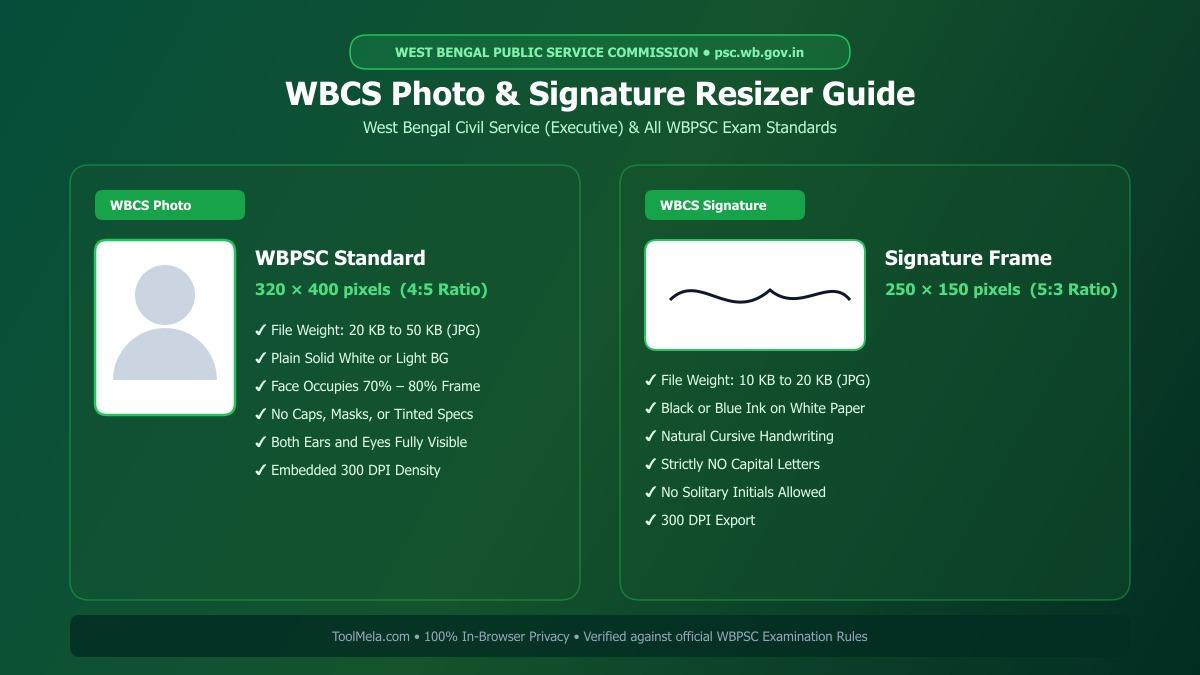
Visual Guide: Formatting passport photographs and signatures to official West Bengal Civil Service examination specifications on ToolMela.
Why People Use This Tool
- Locked WBPSC Aspect Ratios: Automatically locks crop boundaries to 320 × 400 pixels for passport photographs and 250 × 150 pixels for signatures, preventing portal rejection errors and facial distortion.
- Target File Size Sliders: Calibrates image weight with precision—targeting 20 KB to 50 KB for photos and 10 KB to 20 KB for signatures without sacrificing visual legibility.
- AI Plain White Background: Instantly isolates portrait subjects from patterned walls, domestic rooms, or shadows, replacing backdrops with an official solid white studio backdrop.
- Binary 300 DPI Header Injection: Encodes standard 300 dots-per-inch density metadata directly into the JPEG JFIF binary header, ensuring sharp reproduction on printed WBCS admit cards and exam attendance registers.
- Built-in Compliance Checklist: Integrates guideline checks reminding aspirants to inspect facial symmetry, eye-level gaze, unlined signature paper, and cursive writing before downloading.
- Zero-Upload Local Privacy: Executes all cropping, background replacement, resizing, and compression locally in your device's web browser without transferring personal files to external servers.
How to Use the Tool
- Select your target document type by clicking either Photo or Signature at the top of the resizer tool.
- Drag and drop your camera photo or scanned image (JPG, JPEG, PNG, or WebP) into the upload area, or tap to choose a file from your smartphone or computer.
- On the Crop tab, position the locked cropping frame around your face (or handwriting for signature mode)—ensuring centered composition, level eyes, and visible ears—then click Next.
- On the Background tab, review your backdrop. If your photo was captured against an uneven wall or contains shadows, click Remove Background to render a clean, plain white studio backdrop.
- On the Settings tab, adjust the target file size slider to your preferred weight (30 KB to 40 KB for photos; 15 KB for signatures) and review the official rule checklist.
- Click Process Image to execute client-side scaling, aspect ratio preservation, adaptive compression, and binary 300 DPI JFIF tagging.
- On the Download tab, review the high-resolution preview and technical metrics, then click Download to save your compliant JPG file. Repeat the workflow for your signature.
Understanding the Output
West Bengal Public Service Commission servers evaluate uploaded documents for precise aspect ratios, binary file integrity, and visual legibility. Verifying these parameters prior to submission protects your candidature from rejection:
- Photo Dimensions & Framing: The exported portrait measures 320 pixels wide by 400 pixels high. The face occupies 70% to 80% of the frame with balanced shoulder alignment, clear eyes, and visible ears against a pristine white surface.
- Signature Dimensions & Contrast: The exported signature measures 250 pixels wide by 150 pixels high with file weight between 10 KB and 20 KB, featuring crisp, dark ink strokes on an unlined white background.
- Embedded 300 DPI Metadata: Standard 300 DPI resolution tags are written into the JFIF binary stream, ensuring crisp printing on WBPSC Preliminary, Mains, and Personality Test attendance sheets.
- Pre-Submission Verification: Open the downloaded files on your device to ensure facial features are sharp, no compression grain is visible, and the signature represents your natural running cursive style.
Privacy & File Handling
Identity documents such as passport photos and personal signatures require the highest standards of data confidentiality. ToolMela ensures total privacy through its client-side processing architecture:
- In-Browser Execution: Image rendering, AI background segmentation, cropping transformations, and JPEG compression algorithms execute entirely within your device's web browser using HTML5 Canvas, WebAssembly, and local JavaScript.
- Zero Remote Data Transmission: Your photographs, signatures, and personal identification files are never uploaded to ToolMela servers, external APIs, or cloud databases.
- Immediate Local Memory Clearance: Files loaded into the tool reside strictly in temporary browser RAM and are discarded immediately when you refresh the page, navigate away, or close your browser tab.
- Safe for Public Cyber Cafes: Aspirants preparing applications at commercial computer kiosks, cyber cafes, or library terminals across West Bengal can format their files safely without leaving digital copies stored on remote web servers.
Useful Tips
- Use Fresh Passport Photography: Capture a fresh photograph taken within the last three months specifically for the WBCS examination cycle. Never crop tiny passport photos from group festival photos or casual family vacation snapshots.
- Maintain Facial Symmetry & Visibility: Keep your head straight, shoulders relaxed, and gaze directed straight into the camera lens. Remove sunglasses, tinted reading glasses, caps, and scarves that obscure your forehead or jawline.
- Sign on Unruled White Printer Paper: Always execute your signature on plain 75-80 GSM copier paper with a dark black or deep blue ballpoint or gel pen. Never sign on lined school exercise books, as printed lines disrupt digital scanning.
- Strictly Avoid Capital or Block Letters: West Bengal Public Service Commission explicitly mandates natural cursive running handwriting. Signatures written in all-capital letters or solitary initials are deemed invalid and cause rejection.
- Keep Duplicate Hard Copies: Retain identical physical passport-sized prints of the exact digital image uploaded to the WBPSC portal. You will be required to affix the identical photograph on your physical attendance sheet and during the Personality Test.
Common Problems and Solutions
- Problem: The WBPSC portal displays an error saying "File size exceeds maximum limit".
Solution: On the Settings tab of the tool, set the target file size slider to 35 KB for photos (or 15 KB for signatures) and click "Process Image" again to ensure the output sits safely below the upper threshold. - Problem: The portal rejects the signature for being under 10 KB.
Solution: Over-compression often pushes signature files to 6 KB or 8 KB. Set our target slider to 15 KB or 18 KB so the output complies with the mandatory 10 KB minimum file size. - Problem: The face or handwriting appears stretched or squashed horizontally.
Solution: This occurs when standard software forces rectangular images into arbitrary shapes without proportional scaling. ToolMela's resizer locks the exact 320 × 400 (photo) and 250 × 150 (signature) aspect ratios to preserve natural facial and handwriting proportions. - Problem: The background has grayish shadows or household textures.
Solution: Use the AI Background tab and click "Remove Background" to convert any backdrop into a solid, studio-grade white background before generating the final image.
Frequently Asked Questions
What are the official photo and signature size requirements for the WBCS exam?
For the West Bengal Civil Service (WBCS) online application on the WBPSC portal, candidate photographs must measure 320 × 400 pixels (file size 20 KB to 50 KB) in JPG or JPEG format against a white or light background. Signatures must measure 250 × 150 pixels (file size 10 KB to 20 KB) in black or blue ink on unruled white paper.
Can I sign my WBCS application form in capital or block letters?
No. WBPSC rules strictly forbid signatures in capital letters, block characters, or disjointed initials. Your signature must be written in your natural cursive running handwriting with black or blue ink.
Does ToolMela upload my WBCS photograph or signature to any external server?
No. ToolMela performs all image cropping, background removal, aspect ratio adjustments, and compression locally inside your web browser using client-side JavaScript, Canvas, and WebAssembly. No files or biometric documents are ever uploaded to ToolMela servers or third-party storage.
Can I resize both my photo and signature for WBCS using a smartphone?
Yes. ToolMela is fully responsive and functions smoothly on mobile browsers across Android and iOS devices. You can take a snapshot directly from your smartphone, crop, remove backgrounds, adjust file weight to WBCS specifications, and download compliant JPG files on the go.
