Compress PDF to 80KB Online: Sharp Document Optimization for Official Portals
Downsize certificates, mark sheets, and signed forms under 80KB while preserving critical seals, signatures, and printed serial numbers.
Meeting Rigid 80KB Upload Guidelines Without Compromising Clarity
Submitting applications for regional banking examinations, municipal recruitment drives, and university admissions often involves strict file size boundaries. Among these requirements, the 80KB limit is a common threshold for uploaded PDF documents such as academic mark sheets, experience certificates, domicile papers, and signed declaration forms. Submitting a document that measures even 82KB or 90KB results in immediate rejection by automated registration systems, delaying your submission during critical application periods.
Shrinking a multi-megabyte PDF down to 80KB while retaining clear readability is a common stumbling block. Standard desktop utilities and basic document converters often lack target-specific controls, either leaving the output well over 80KB or applying aggressive compression that blurs names, registration numbers, and official emblems into illegibility. To compress PDF to 80KB online successfully, you need an intelligent utility that removes unneeded document overhead while balancing image compression against textual clarity.
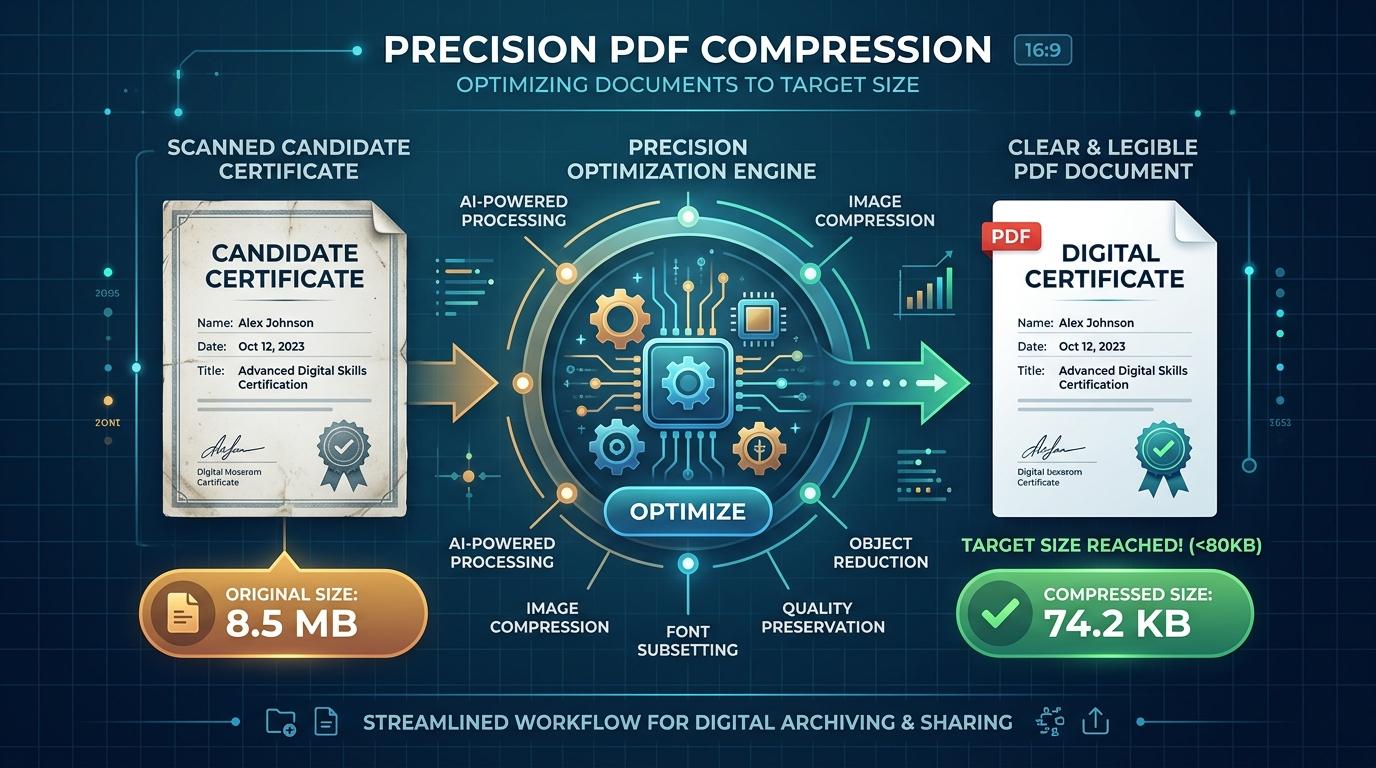
ToolMela provides an in-browser solution designed specifically for this requirement. Our client-side compressor lets you reduce PDF size to 80KB using adaptive quality testing and smart raster scaling. Whether you need to compress PDF under 80KB for a government job, resize PDF to 80KB, compress PDF below 80KB, shrink PDF to 80KB, compress PDF file to 80KB, or reduce PDF to 80KB online free without exposing sensitive paperwork to remote servers, our pdf compressor 80kb delivers compliant, readable records in seconds.
Why People Use This Tool
Official portals enforce rigid file boundaries to prevent server congestion. Our engine targets the 80KB threshold to ensure immediate upload acceptance.
Personal credentials, marks sheets, and signed forms are processed entirely in browser memory with zero server uploads.
Multi-pass quality optimization preserves sharp contrast around names, roll numbers, and official department stamps.
Optimize documents instantly without paying subscription fees, creating accounts, or receiving watermarked files.
Inspect exact before-and-after file sizes and reduction percentages right away before submitting to any portal.
Runs smoothly on desktop computers, laptops, tablets, and smartphones across Windows, macOS, Android, and iOS.
How to Use the Tool
Upload Your PDF Document
Click the upload area to choose your file from local storage, or drag and drop the PDF into the browser window.
Local File Analysis
The engine evaluates your file locally, inspecting page dimensions, embedded graphics, and structural metadata.
Multi-Pass Adaptive Compression
The tool applies calibrated compression passes to bring the file under 80KB while preserving readable text.
Compare Original and Optimized Sizes
Check the displayed initial size, final compressed size, and total reduction percentage.
Download the 80KB-Compliant PDF
Click download to save your compliant PDF directly to your device, ready for portal submission.
Understanding the Output
An 80KB file size limit provides approximately 81,920 bytes of total data budget. For a single-page document—such as a degree certificate, marks statement, character certificate, or admit card—this budget offers generous headroom. Compared to tighter limits like 30KB or 50KB, 80KB allows the engine to preserve higher pixel resolution and cleaner typographic outlines, ensuring that candidate photographs, embossed seals, and fine serial codes stay identifiable.
However, file limits always apply to the whole document rather than individual pages. If you upload a multi-page document containing three, four, or more pages, the 80KB allowance must be divided across every single page. That leaves roughly 20KB to 26KB per page, which compels the compressor to downscale images more aggressively. For multi-page submissions, compress single-page documents individually whenever application portals allow separate attachments.
Privacy & File Handling
Confidentiality is critical when handling sensitive personal records, academic transcripts, and identification paperwork. Many web-based compressors upload your files to external cloud servers, store copies in temporary caches, or generate remote processing logs that could expose your private information.
ToolMela takes a completely private approach by executing all compression routines locally within your web browser sandbox. Your document is rendered and compressed using client-side JavaScript, HTML5 Canvas, and WebAssembly technologies. At no point is your PDF transmitted across the internet or saved on an external server. Once you finish downloading your file and close the tab, all working data disappears from device memory.
Useful Tips for Best Results
Crop Scanner Borders and Shadows
Dark scanner edges and excessive whitespace waste significant bytes. Crop documents neatly before converting them to PDF.
Choose Grayscale Mode for Certificates
If your certificate consists primarily of black text and ink stamps, scanning in grayscale eliminates unnecessary color channels, resulting in crisper typography at 80KB.
Compress Individual Pages Separately
When an application demands multiple certificates, upload them as individual single-page files rather than one combined packet.
Inspect Fine Print and Signatures
Always open your downloaded PDF in a standard viewer and inspect candidate names, roll numbers, and dates at actual size before uploading.
Common Problems and Solutions
Output Remains Slightly Over 80KB
This happens when multi-page files contain high-resolution color photographs. Crop wide borders, convert scans to grayscale, or split multi-page files before re-compressing.
Text Looks Soft or Faded
If printed characters look faint, the original scan may have suffered from camera shake or low resolution. Re-scan the paper document on a flatbed scanner at 150 to 200 DPI under even lighting.
Locked or Encrypted PDF Errors
Client-side engines cannot parse locked files without credentials. Open the document in your PDF viewer, remove password restrictions, and try compressing again.
Portal Rejection Despite Correct Size
Check if the submission website enforces strict file naming rules. Avoid spaces and special characters in your filename (use "certificate_80kb.pdf" rather than "my certificate (1).pdf").
Frequently Asked Questions
Why do certain portals set an 80KB file size requirement?
Recruitment boards and universities process tens of thousands of applicants simultaneously. Enforcing an 80KB limit prevents server bottlenecks while allowing just enough resolution for verification officers to read marks, registration numbers, and official signatures clearly.
Can I compress a multi-page PDF under 80KB without losing text clarity?
Yes, but legibility depends on content density. A two-page document with standard printed text compresses cleanly under 80KB. If the file contains three or more scanned pages with detailed emblems, the reduced per-page budget may soften fine details. Splitting into single pages produces the best visual quality.
Are my personal certificates or identity records uploaded to ToolMela's server?
No. All processing happens entirely inside your local web browser. Your PDF is never uploaded to ToolMela's servers, never stored in cloud databases, and never inspected by third parties. Your data remains strictly on your local device.
Will digital signatures and barcodes remain verifiable after 80KB compression?
Yes, in most cases. The compression engine prioritizes high quality levels to preserve sharp contrast around barcodes, QR validation marks, and official stamp outlines. Always review your downloaded document at 100% zoom to verify visual sharpness before submitting it to an official portal.
Final Verification Before Submission
After downloading your compressed 80KB PDF, always open the file in a standalone PDF viewer and verify all critical fields—such as candidate name, date of birth, roll numbers, and official signatures—at full zoom before submitting to your target portal.
