Compress PDF to 15MB Online: Downsize Expansive Blueprints, Legal Records, and Dissertations
Submitting extensive documentation through professional gateways often leads to unexpected file rejection due to strict byte-size ceilings. Corporate email servers commonly enforce a 15MB attachment limit to ensure messages traverse security gateways without triggering mail transfer agent errors. Similarly, state appellate court filing portals, municipal planning departments, architectural review boards, and university doctoral thesis repositories frequently establish a 15MB maximum file size. This ceiling is designed to accommodate comprehensive publications—such as multi-sheet architectural site plans, complex corporate prospectuses, voluminous trial exhibits, and academic dissertations—where tighter limits like 1MB or 2MB would severely degrade full-color graphics and intricate diagrams.
Despite this substantial allowance, modern document packages routinely breach the 15MB threshold. High-resolution flatbed scanners, desktop publishing suites, and Computer-Aided Design (CAD) software frequently export files with uncompressed raster artwork, embedded high-density color profiles, and redundant metadata streams. A two-hundred-page trial record or architectural set can easily swell to 100MB, 250MB, or higher. When transmitted, these massive files clog corporate internet connections, fail delivery across mail servers, and cause web intake portals to abort with HTTP 413 "Payload Too Large" errors. Anyone looking to compress PDF to 15mb online needs a reliable utility that strips invisible data bloat and optimizes image streams while maintaining razor-sharp typography and legible schematics.
ToolMela offers a dedicated, browser-based optimization tool designed specifically for the 15MB threshold. Our utility allows you to reduce PDF size to 15mb directly inside your web browser on desktop workstations, laptops, tablets, or mobile devices. If you need to compress PDF under 15mb to meet an impending legal filing deadline, resize PDF to 15mb, compress PDF below 15mb, shrink PDF to 15mb, compress PDF file to 15mb, or reduce PDF to 15mb online free without watermarks or user registration, our client-side pdf compressor 15mb delivers clean, professional files in moments.
Why People Use This Tool
- Expansive Multi-Page Support: Easily compresses lengthy compilations spanning one hundred and fifty to over four hundred pages without compromising text legibility.
- Exceptional Graphic Fidelity: A generous 15MB data budget provides ample room to preserve detailed CAD line art, colored maps, and high-resolution photographic case studies.
- Corporate & Legal Gateway Compliance: Formatted specifically to satisfy 15MB email attachment ceilings and municipal or judicial e-filing restrictions.
- Complete On-Device Privacy: All optimization processes run locally inside your browser sandbox, ensuring sensitive corporate contracts, legal pleadings, and private records never leave your machine.
- Instant, Subscription-Free Processing: Enjoy immediate file optimization without creating accounts, providing email addresses, or encountering monthly usage fees.
- Clean, Professional Documents: Delivers unbranded, print-ready publications completely free of promotional watermarks, stamps, or altered margins.
How to Use the Tool
Choose Your PDF
Click within the file selection area to browse your local drive, or drag and drop your document straight into the browser window.
Local Structure Parsing
The browser inspects the file, measuring total page count, embedded raster resolutions, and internal stream overhead.
Execute 15MB Optimization
The compression engine dynamically calculates the required image downsampling curves and applies quality-aware re-encoding to bring the total size under 15MB.
Inspect File Metrics
Review the on-screen display comparing your original file size with the newly compressed size to verify compliance with your portal's rules.
Download the 15MB PDF
Click the download button to store the optimized PDF directly onto your computer, tablet, or smartphone.
Understanding the Output
In binary computing terms, a 15MB limit equals 15,360 kilobytes (or 15,728,640 bytes). Because 15MB is a generous data allocation, documents containing seventy to one hundred pages experience virtually zero perceptible loss in visual quality. An eighty-page corporate prospectus, for instance, enjoys an average data budget of nearly 192KB per page. This allows full-color executive headshots, financial infographics, and colored section banners to retain practically their original clarity.
When dealing with massive files spanning two hundred to five hundred pages, that 15MB allowance is distributed across every page, yielding approximately 30KB to 75KB per sheet. Under these conditions, the compression engine prioritizes high-contrast line sharpness for typed letters and data grids while smoothing background textures and gradients. To ensure strict byte compliance and broad compatibility across diverse PDF standards, the tool re-renders each page into an optimized visual layout. This flattens interactive form fields, digital signature widgets, and clickable bookmarks into permanent visual elements. Always open your finished file in a standalone PDF viewer at 100% zoom to verify that fine footnotes, dimension lines, and official notary seals remain crisp before submitting.
Privacy & File Handling
Confidentiality is critical when handling sensitive legal dossiers, proprietary architectural designs, corporate financial audits, and patient medical files. Standard online conversion websites frequently upload files to remote cloud servers for processing, leaving documents stored in temporary remote folders where unauthorized access or persistent caching could occur.
ToolMela is built upon a strict browser-first security model. When you optimize a document here, all file reading, image rendering, and PDF rebuilding occur locally within your web browser using HTML5 Canvas and client-side processing libraries. Your confidential files are never transmitted across the internet to ToolMela's servers and are never stored in external databases. Once you complete your download and close the browser tab, all temporary working data in your device's memory is immediately flushed.
Useful Tips for Best Results
- Eliminate Superfluous Blank Sheets: Review your document before processing and delete blank divider sheets, superseded revisions, or duplicate cover drafts so that the full 15MB budget is dedicated to essential content.
- Digitize Originals Between 200 and 300 DPI: If scanning paper archives, configure your scanner between 200 and 300 DPI. Scanning at higher settings like 600 or 1200 DPI generates massive files that require heavier compression later without improving readable detail.
- Convert Text Pages to Grayscale: For documents that primarily consist of typed letters, contracts, and notary stamps, saving in grayscale strips unnecessary RGB color channels, preserving more byte allowance for sharp typography within 15MB.
- Examine Detailed Blueprints at 100% Zoom: When compressing architectural plans, GIS maps, or engineering schematics, zoom into actual size after downloading to ensure fine dimension lines and callout notes remain unbroken.
- Retain Master Archives: Always keep the original, uncompressed source file on your local storage drive as an archival backup in case an uncompressed copy is required in the future.
Common Problems and Solutions
Output Remains Slightly Over 15MB
Exceptionally long documents exceeding six hundred pages with heavy full-color photography may occasionally finish above the 15MB target. Splitting the document into logical halves (such as Part 1 and Part 2) or converting full-color scans to grayscale will easily bring the file beneath the limit.
Soft or Pixelated Small Text
If the original paper scan was made under poor lighting or at low resolution, fine spreadsheet numbers may appear soft after compression. Re-scanning the physical pages at 300 DPI with high contrast settings will dramatically enhance clarity.
Password-Protected File Rejection
Encrypted or permission-locked PDF files cannot be processed by client-side browser engines. Open the document in your preferred desktop PDF reader, remove the security password, and then select the unlocked file in the tool.
Portal Upload Fails Despite Compliant Size
Certain submission websites reject filenames containing spaces, commas, or special characters even when the file size is under 15MB. Rename your file using simple letters, numbers, and underscores (e.g., appellate_brief_15mb.pdf) before uploading.
Frequently Asked Questions
Why do institutional portals and email gateways enforce a 15MB limit?
A 15MB ceiling is common among corporate email systems, court e-filing desks, and municipal planning portals. It prevents large email attachments from bouncing due to gateway message limits while providing enough data capacity for comprehensive multi-page documents containing colored diagrams and high-resolution exhibits.
How many pages can I compress into a 15MB PDF without losing visual clarity?
For standard text documents, legal filings, and business reports, a 15MB budget can easily hold between two hundred and four hundred pages. For documents dominated by full-color architectural drawings or rich photographic portfolios, keeping the page count under one hundred pages ensures crisp visual presentation.
Will interactive form fields, bookmarks, or links remain clickable?
No. To guarantee reliable size reduction and uniform cross-platform display, the engine re-renders each page into an optimized visual layout. This flattens interactive form fields, clickable web links, and digital signature widgets into static visual elements that display consistently across every PDF reader.
Does ToolMela keep a backup of my uploaded documents?
No. ToolMela does not store, review, or copy your files. All document processing takes place directly within your device's web browser through client-side code execution. Your confidential files never traverse remote networks or external servers.
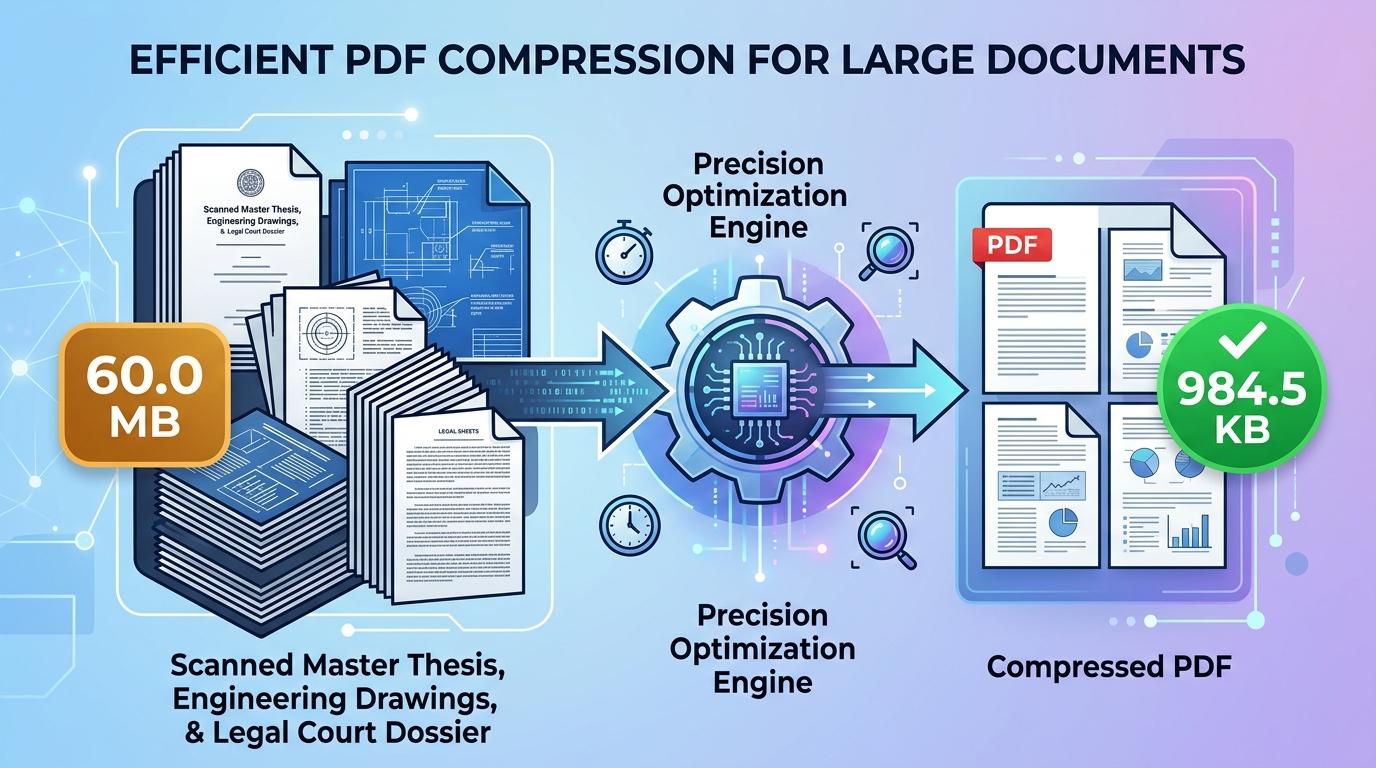
Visual Guide: Select your large multi-page PDF, allow the in-browser engine to re-render within the 15MB limit, and download your compressed file.
Explore Related PDF Compression Tools
Compress PDF to 10MB
Keep heavy multi-page manuals and legal portfolios below upload caps.
Compress PDF to 5MB
Precision reduction for massive dossiers, manuals, and eBooks.
Compress PDF to 4MB
Targeted reduction for appellate court briefs and technical manuals.
Compress PDF to 3MB
Precision reduction for large dossiers, schematics, and manuals.
Compress PDF to 2MB
Targeted reduction for lengthy legal submissions and technical briefs.
Compress PDF to 1MB
Essential compression standard for university portals and enterprise systems.
