CR80 · 300–900 DPI · browser only
Aadhaar Card Crop: turn an e-Aadhaar letter into a print-ready PVC card
Frame the front and back card blocks on your official UIDAI PDF or scan, export them at true card size, and lay them out on A4 for a card tray or lamination pouch — without a single byte leaving your browser.
Why an e-Aadhaar PDF is awkward to print as a card
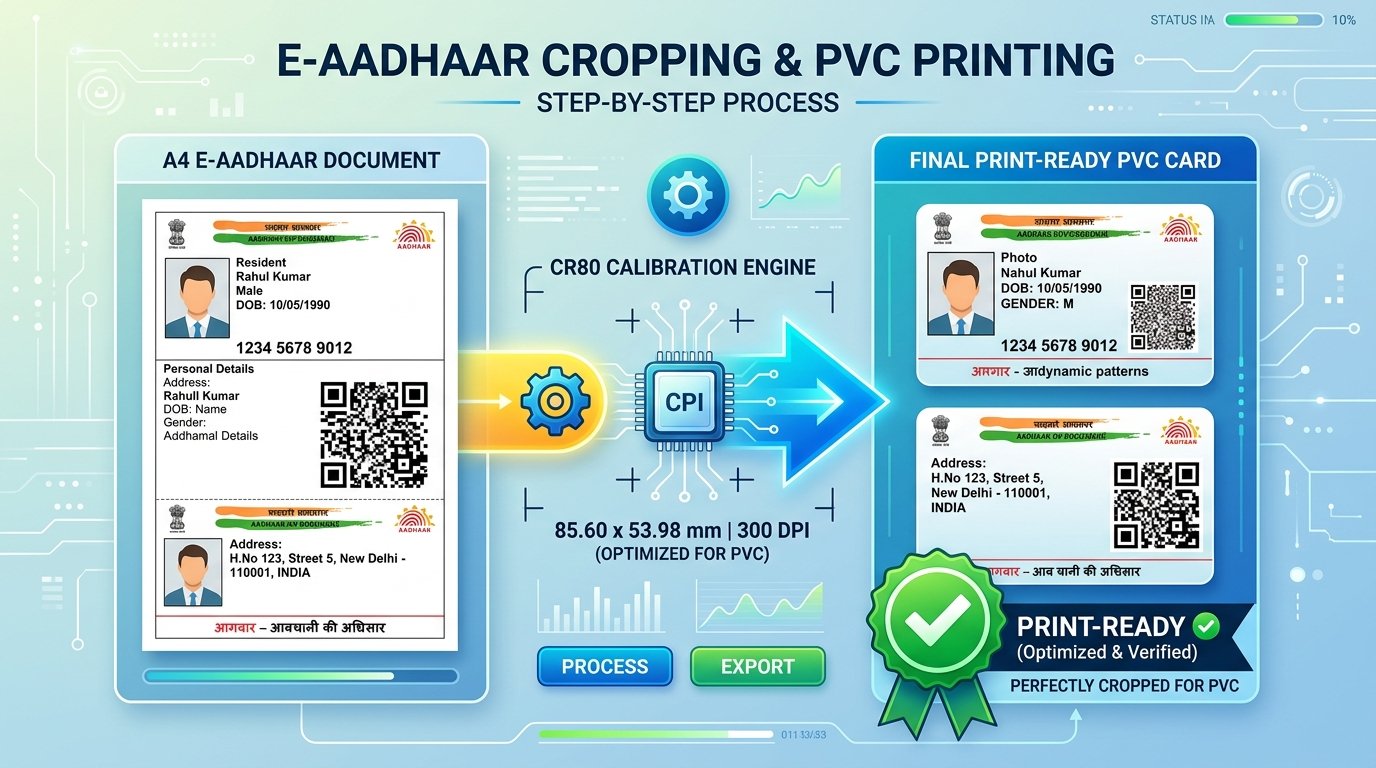
An e-Aadhaar download is a full A4 letter. The actual card artwork sits in a small section near the bottom, surrounded by instructions, a cutting rule and administrative notes. To get a plastic card out of it you have to isolate that section at exactly the right proportions — and most tools make one of two mistakes. Either they crop by eye, so the card ends up slightly stretched and the portrait looks wrong; or they rasterise the whole page once at a modest resolution and then enlarge the crop to hit a DPI number, which produces a large file that is no sharper than the small one it came from. The second mistake is the one that quietly ruins QR codes: the fine modules of the UIDAI digital signature get softened by interpolation, and a scanner at a bank counter or an airport gate struggles with them.
This tool is built the other way round. The crop is never stored as an image; it is stored as a rectangle on the page plus the angle the page is turned to. When you save a side, only that rectangle is rendered — straight out of the PDF, at whatever scale the chosen DPI needs. A 900 DPI export therefore asks the PDF for 900 DPI of detail rather than stretching a preview, and the QR code is resampled exactly once. When the source is a photo or a flatbed scan, there is a fixed number of pixels available, so the tool measures what the frame actually holds and tells you plainly when a higher setting would only be interpolation. Nothing is invented, and nothing is oversold.
What the tool does differently
Real resolution, measured
The framed region is re-rendered from the PDF at the exact scale the output needs. Where a source cannot supply that detail, the shortfall is reported rather than hidden behind a bigger file.
Card geometry, not a guess
Every frame is held as a rectangle on the page plus an angle, so a crop survives zooming, rotating and re-rendering without drift, and the exported ratio is the closest integer pair to CR80.
Both sides, one pass
The two card blocks on a UIDAI letter are detected together. Multi-page scans get a page picker instead, so the front can come from page 1 and the back from page 3.
A sheet that matches the print
The on-screen A4 sheet is built from the same millimetre layout as the PDF, so what you check is what the printer receives — including cut marks and card outlines.
How to crop an Aadhaar card, step by step
- 1
Open the document
Drop an e-Aadhaar PDF, a photo or a scan onto the workspace. If the PDF is protected, enter the 8-character password when prompted — it is used locally and never sent anywhere.
- 2
Check the frames
On an official letter both card blocks are found automatically. Drag to reposition, use the corner grips to resize, and turn or straighten the page underneath if the scan is skewed. The frame stays locked to card proportions the whole time.
- 3
Save each side
Pick 300, 600 or 900 DPI and save the front and back. Each saved side reports the resolution the source really holds, so you know whether the extra pixels are detail or interpolation.
- 4
Print to size
Choose front-and-back pairs or a sheet of one side, set copies and spacing, then download the A4 PDF. Print at 100% or actual size — fit-to-page will resize the card and it will no longer match a PVC blank.
Your document never leaves the device
An Aadhaar letter carries your 12-digit number, your photograph, your date of birth and your address — identity credentials protected under the Aadhaar Act, 2016. Sending that file to a cloud-based converter means handing all of it to a third party you cannot audit.
Here, every step runs in the page: the PDF is decrypted and rendered by pdf.js in your browser, the card is detected and cropped on a local canvas, and the print PDF is assembled in memory before the download begins. There is no upload endpoint to send it to. You can confirm this in your browser's network inspector while you work. Passwords are used in page memory only, and closing or reloading the tab discards everything — including the crops you have saved, so download them before you leave.
Frequently asked questions
What are the official dimensions for printing an Aadhaar PVC card?
Aadhaar PVC cards follow the ISO/IEC 7810 ID-1 (CR80) standard: 85.60 mm wide by 53.98 mm high, with a 3.18 mm corner radius. That is an aspect ratio of about 1.586:1. This tool locks the crop frame to that ratio and exports 1011 x 637 pixels at 300 DPI, 2022 x 1275 at 600 DPI, or 3033 x 1912 at 900 DPI.
Does choosing 900 DPI actually make the card sharper?
For a PDF, yes. The framed area is re-rendered from the PDF at the resolution you pick, so text and QR modules are drawn at that density rather than enlarged from a smaller image. For a photo or scan, the source has a fixed number of pixels; the tool measures what the frame actually holds, shows that figure, and warns you when a higher setting would only interpolate.
Will the secure QR code still scan after cropping and printing?
The crop is a single resampling step straight from the source, so the QR code is not softened by a second pass through an intermediate image. Print the sheet at 100% scale rather than fit-to-page, and scan a test print with the mAadhaar app before you laminate the card.
Can this tool open password-protected e-Aadhaar PDF files?
Yes. Official e-Aadhaar PDFs use an 8-character password: the first four letters of your name in capitals followed by your four-digit year of birth. The tool prompts for it and unlocks the file in your browser. The password is used in page memory and is never transmitted or stored.
Is my Aadhaar document uploaded to a server?
No. Opening the PDF, detecting the card, cropping, rendering and building the print PDF all run in your browser. Nothing about the document leaves your device, which you can confirm in your browser's network inspector. Reloading the page clears the workspace.
